Wallpaper Colour Psychology: Colours to Calm or Focus
Which wallpaper colours help you calm down or focus: what colour psychology really does, the best shades for each mood and how to switch them by Focus.
In short: For calm, pick muted blues, greens and soft dark tones with low contrast; for focus, a quiet neutral with almost no detail; for energy, warm yellow or coral. Brightness, saturation and how busy the picture is matter more than the hue itself.
By the Velpaper team · Wallpapers by Carlos Vivero, Velpaper designer · · 5 min read
 Tidal Quiet
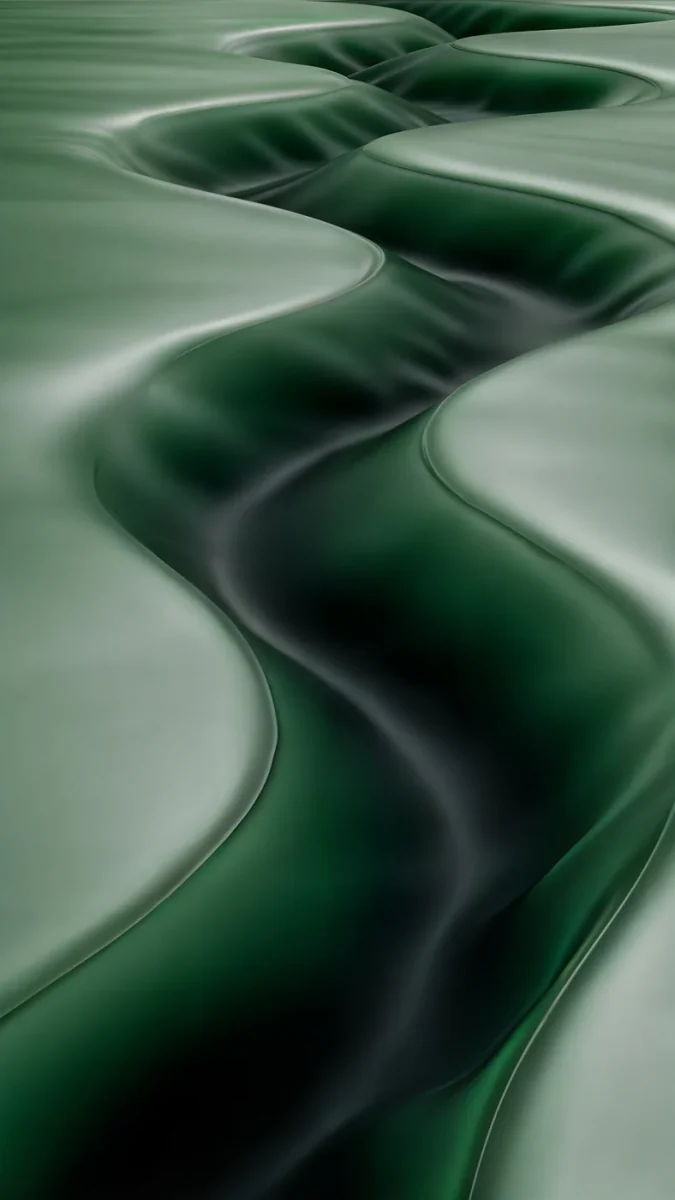 Sage Passage
 Butter Glow
 Blue Hour
 Celadon Haze
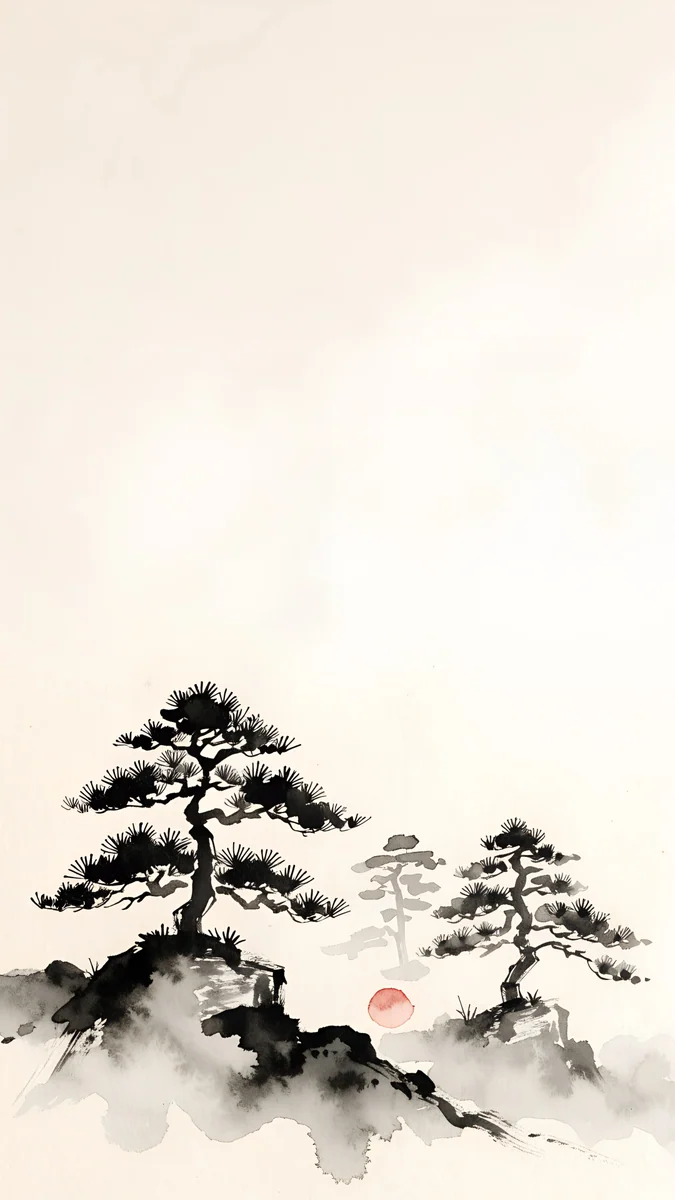 Mist Pines
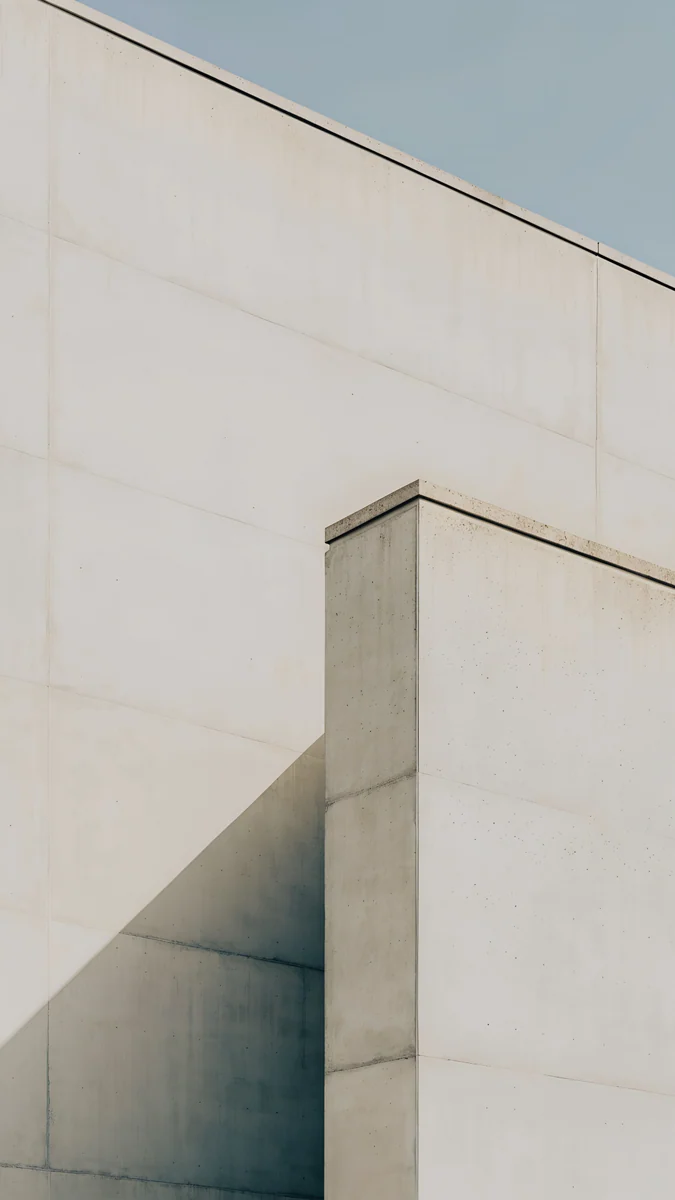 Ivory Fold
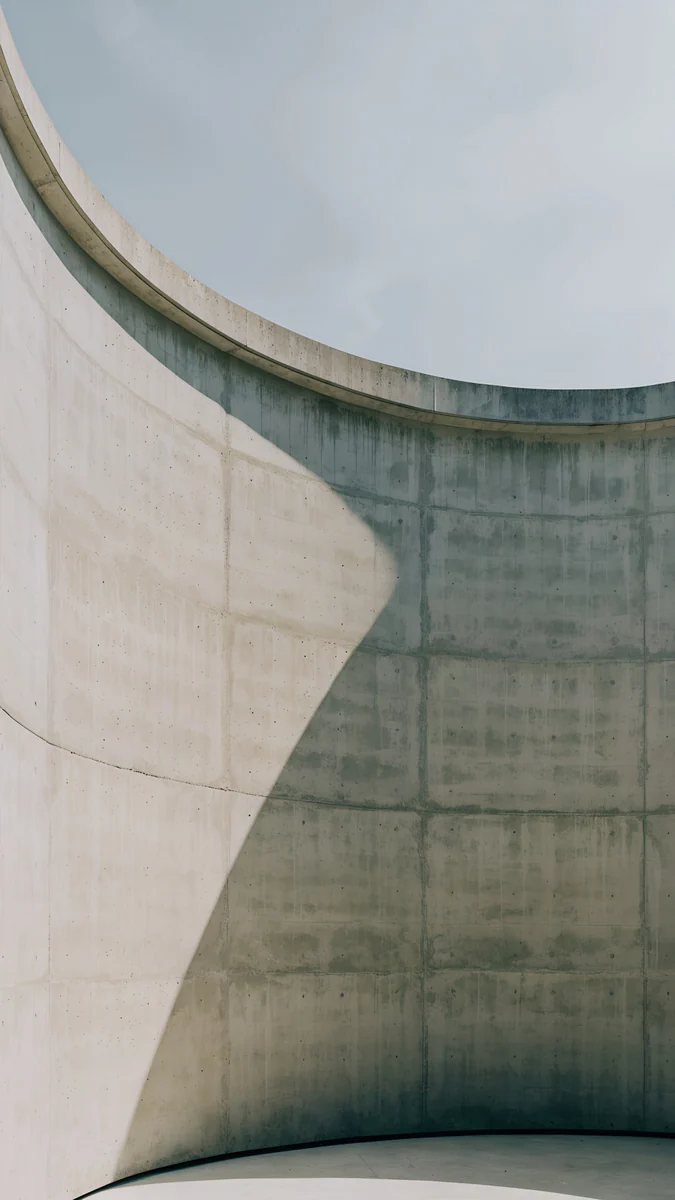 Ash Ring Court
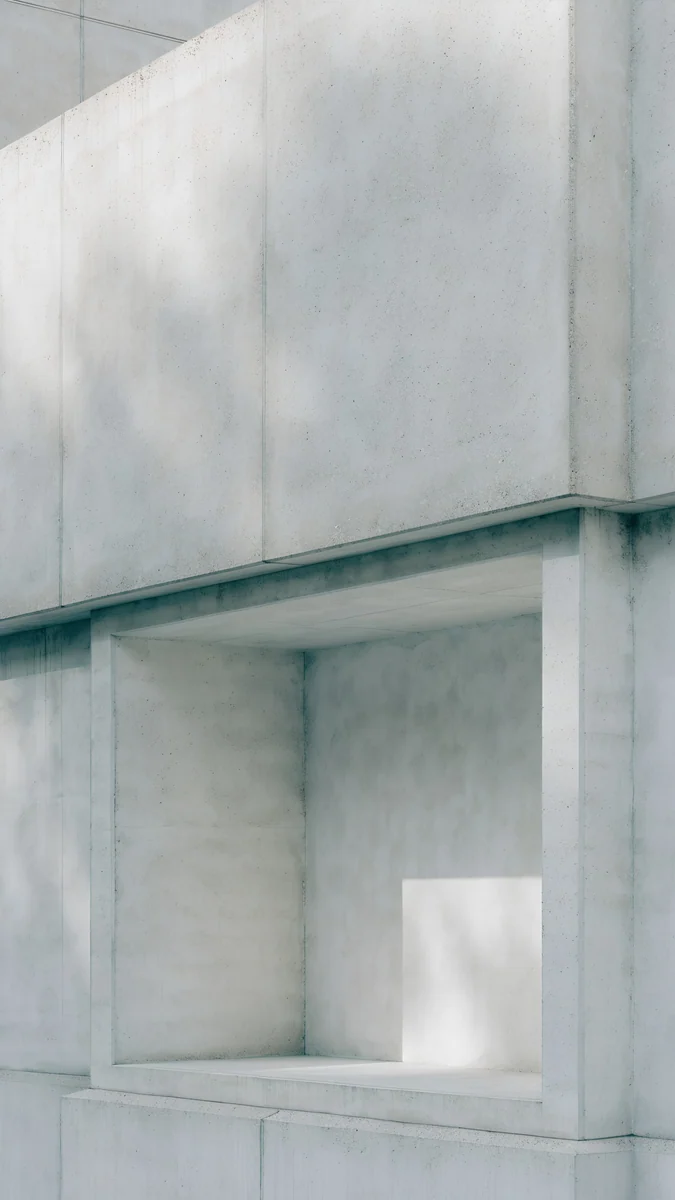 Chalk Recess
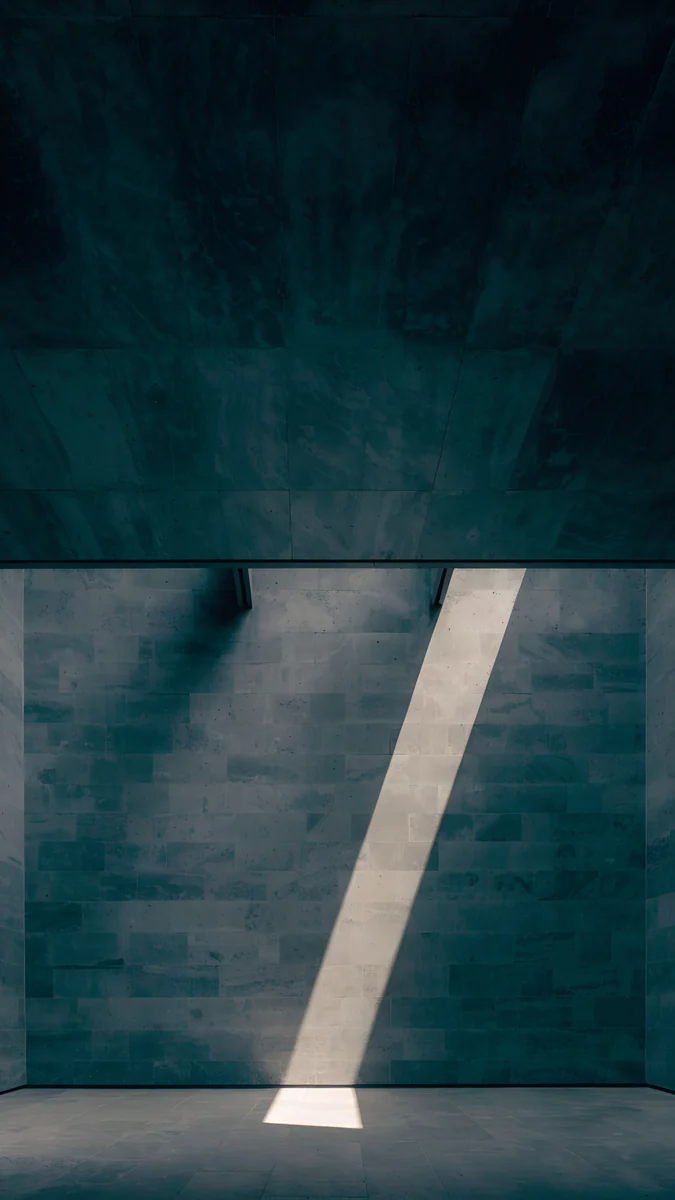 Slate Light Cut
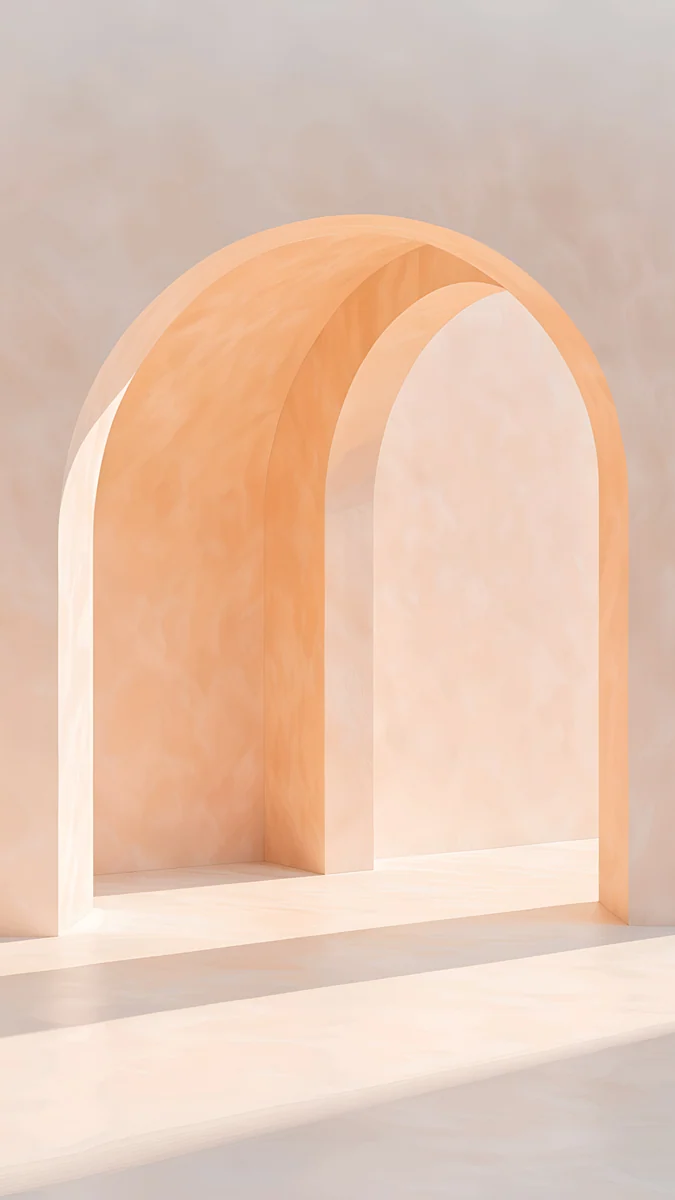 Apricot Noon
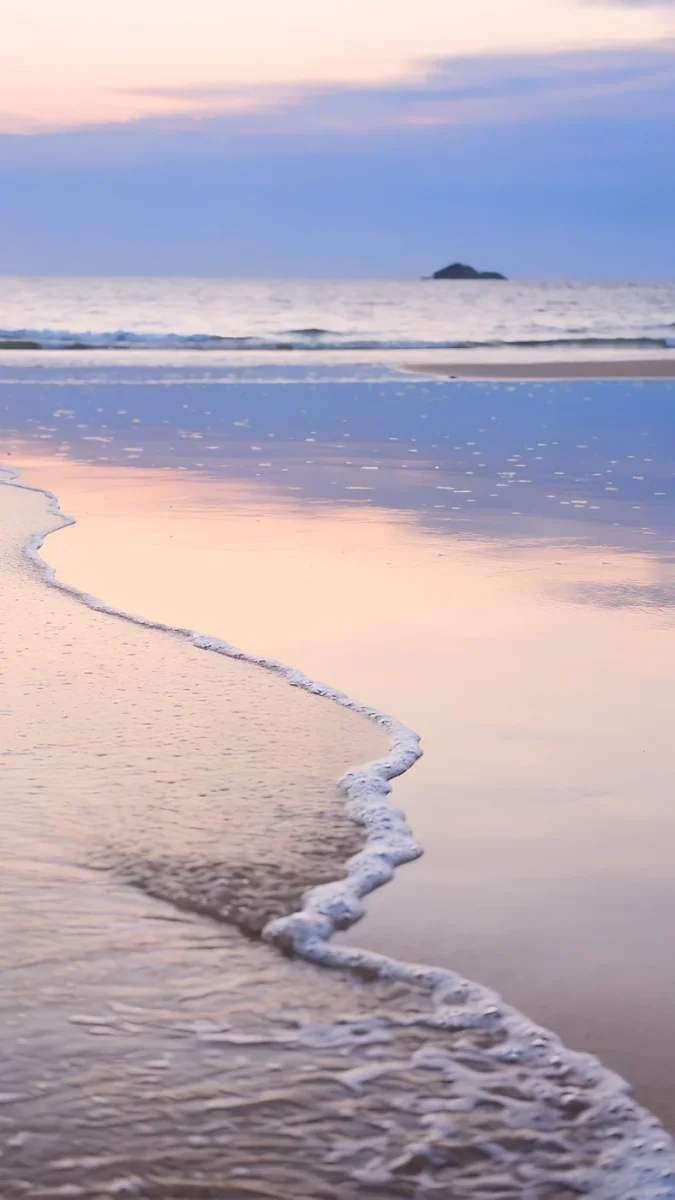 Coral Tide
Free 4K originals for iPhone and Android, no watermark
On this page
To calm down, choose a wallpaper in muted blue, green or a soft dark tone with low contrast and few edges. To focus, choose a quiet neutral such as ivory, stone or charcoal with almost no detail, so nothing competes with your icons. Warm yellows and corals feel more energetic. Colour psychology is a gentle nudge, not a switch: how bright, how saturated and how busy the picture is matters more than the hue alone.
What colour psychology can and cannot do
Colour does shape how a screen feels, but research on colour and mood is less tidy than most posters suggest. Effects found in studies tend to be small, and they change with culture, context and personal memories. Blue reads as calm to many people, and as cold or sad to others.
Three things are more reliable than the hue itself:
- Brightness. A bright white or yellow screen in a dark room feels harsh whatever the colour. Darker, softer images feel quieter at night.
- Saturation. Muted, greyish colours feel calm; pure, vivid ones feel loud. A dusty blue and an electric blue are the same hue with opposite moods.
- Detail. A busy photo keeps the eye moving. A wide plain area, a horizon or one soft gradient lets it rest, and leaves room for the clock.
| Goal | Colours | What to look for |
|---|---|---|
| Calm | Muted blue, teal, sage, soft navy | Low contrast, slow gradients, water or mist |
| Focus | Ivory, stone, grey, charcoal | One plain surface, almost no detail |
| Energy | Butter yellow, apricot, coral | Warm light, but not too saturated |
| Evening wind down | Deep navy, plum, near black | Dark, low brightness, no white areas |
Calming colours: blue, teal and sage
Blues and greens are linked with sky, water and plants in many cultures, which is why they are the usual advice for calm. Keep them muted and soft-edged.
Tidal Quiet4K · PhoneBlue Hour4K · PhoneCeladon Haze4K · PhoneSage Passage4K · PhoneMist Pines4K · PhoneTidal Quiet opens in deep teal and lets pale foam gather low on the screen, so the clock sits on calm water. Blue Hour fades from deep navy to soft grey-blue, the gentlest gradient here. Celadon Haze drifts from seafoam to blue-green with no edges at all. Sage Passage winds glossy green ribbons down a dark screen, calm enough to sit behind a full page of icons. Mist Pines is ink pines in mist with one small red sun, for anyone who finds plain gradients too empty. More in our calming wallpapers collection.
Colours for focus: quiet neutrals
For work, the best colour is the one you stop noticing. Pale stone, ivory and graphite give the eye nothing to chase, and app labels stay readable on every part of the screen.
Ivory Fold is pale concrete creased once, with a cool grey-green shadow in the fold. Ash Ring Court looks into a round concrete courtyard split into one light half and one dark half. Chalk Recess is a pale facade with one deep empty niche. Slate Light Cut is the dark version: a charcoal stone room with one slim stripe of daylight, good for dark mode.
Warm colours for energy
Yellow, apricot and coral feel warm and awake, which suits a morning lock screen. Keep them soft: a fully saturated orange quickly becomes tiring behind icons.
Butter Glow leans soft yellow and stays light, so use a dark clock on it. Apricot Noon is warm and pale, and Coral Tide looks down into shallow water lit coral, with a tiny rocky island far off.
How to switch wallpaper colour by time or Focus
The most useful trick is not one perfect colour but the right one at the right time: warm in the morning, neutral at work, dark at night.
- iPhone (iOS 26): set up a Lock Screen for each mood first. Touch and hold the Lock Screen, tap the plus button, choose Photos and pick the wallpaper.
- While still in that gallery of Lock Screens, tap Focus at the bottom of the one you made and choose a Focus, such as Work or Sleep. When that Focus turns on, the matching Lock Screen appears.
- To schedule it, go to Settings, Focus, pick the Focus and add a schedule under Set a Schedule.
- Pixel with Android 16: open Settings, Modes, choose a mode such as Bedtime and look under Display settings for options such as Dim the wallpaper, Dark theme and Grayscale. The exact names can differ by version.
- Samsung with One UI 8: open Settings, Modes and Routines, then Modes. Depending on the version, a mode can switch the lock screen and turn on Dark mode.
For a dark set to use at night, our guide to iPhone wallpapers for dark mode shows how to pair them with the system theme.
Common problems and fixes
- The calm wallpaper makes the clock hard to read. Low contrast is calming but can swallow the time. Pick the clock colour by hand: white on teal and navy, dark on ivory and yellow. Our guide to keeping the clock readable covers placement.
- Blue feels cold rather than calm. That is personal, and normal. Try sage, warm grey or a soft plum instead; the low contrast does most of the work.
- Colours look different at night. Night Shift on iPhone and Night Light or Eye comfort shield on Android warm the whole screen, which turns blues greener and whites yellow. It is the setting, not the file.
- A bright wallpaper feels tiring. Turn on Dark mode and switch to a darker version at night, or lower the brightness; brightness changes the mood more than the hue.
Find your colour in Velpaper
Velpaper is an app for iPhone, iPad, Mac and Android, and the same wallpapers are on velpaper.com. Every wallpaper is a 4K original, 2160 × 3840 on a phone, with no account and no watermark.
- Open Tidal Quiet for a calm lock screen, or Ivory Fold for focus.
- Tap Download to save the original, not a screenshot of the preview.
- Set it as a new Lock Screen and link it to a Focus, as in the steps above.
Looking for a single colour family? See our blue and green wallpaper collections.
Original wallpapers in 4K and 5K for iPhone, Android and desktop.
Questions
What wallpaper colour is the most calming?
Muted blues, teals and soft greens are the usual answer, because many people link them with water, sky and plants. But the calm comes as much from how the picture is made as from the hue: low contrast, soft edges, few details and a moderate brightness. A dusty teal gradient feels calmer than an electric blue one. If blue feels cold to you, a sage green, a warm grey or a soft navy at night works just as well. Pick the colour that feels quiet to you rather than following a chart.
Which wallpaper colour helps you focus?
A quiet neutral with very little detail: ivory, pale stone, warm grey or charcoal. The goal for a work screen is a background you stop noticing, so your eyes go to the apps, not the picture. Busy photos, faces and bright saturated colours pull attention back to the wallpaper every time you unlock the phone. Pale neutrals suit light mode with a dark clock, and charcoal or graphite suits dark mode with a white clock. Linking a plain wallpaper to a Work Focus on iPhone makes the switch automatic.
Is colour psychology for wallpapers scientifically proven?
Only partly. Colour can influence how a space or a screen feels, but the effects found in research are generally small and depend on culture, context and personal associations, so a single colour does not work the same way for everyone. Popular charts that promise red makes you angry or blue makes you productive overstate it. Brightness, saturation and visual clutter have a more dependable effect than hue: dark, soft, low-contrast pictures feel calmer than bright, busy ones. Treat colour as a nudge and trust how a wallpaper feels to you.
Can I change my wallpaper automatically for work and sleep?
Yes. On iPhone, make one Lock Screen for each mood, then touch and hold the Lock Screen, tap Focus under the one you want and link it to a Focus such as Work or Sleep. In Settings, Focus you can give that Focus a schedule, so the calm or neutral wallpaper appears on its own. On a Pixel with Android 16, Modes can dim the wallpaper and turn on dark theme or grayscale at bedtime, and Samsung phones have Modes and Routines with similar options.
What colour wallpaper is best before sleep?
A dark, muted one: deep navy, plum, charcoal or near black, without large white or bright yellow areas. A dark picture lowers the overall light the screen gives off, which feels gentler in a dark room, and on an OLED phone black areas emit almost no light at all. Pair it with Dark mode and Night Shift or Night Light, and lower the brightness. Velpaper pieces such as Midnight Flow and Blue Hour work well for this, and a Sleep Focus on iPhone can switch to them automatically every evening.
Carlos Vivero
Designer of Velpaper wallpapers
Carlos Vivero designs the wallpapers in Velpaper: quiet architecture, liquid glass, Japanese ink and calm landscapes. Every piece is made as a 4K original for iPhone, Android and desktop.
Recent work








