Xiaomi Wallpaper: 4K Picks for Redmi Note 14 and 15
Xiaomi wallpapers for the Redmi Note 14, Note 15 and Xiaomi 15T: the resolution of each model, what looks best on AMOLED, and how to set one in HyperOS.
In short: The best Xiaomi and Redmi Note 14 wallpapers are tall, with a centered subject and a dark ground that looks deep on AMOLED. A 2160 × 3840 original is larger than the screen of every model we checked, from the Redmi 15 to the Xiaomi 15T Pro, so HyperOS only scales it down.
By the Velpaper team · Wallpapers by Carlos Vivero, Velpaper designer · · 5 min read
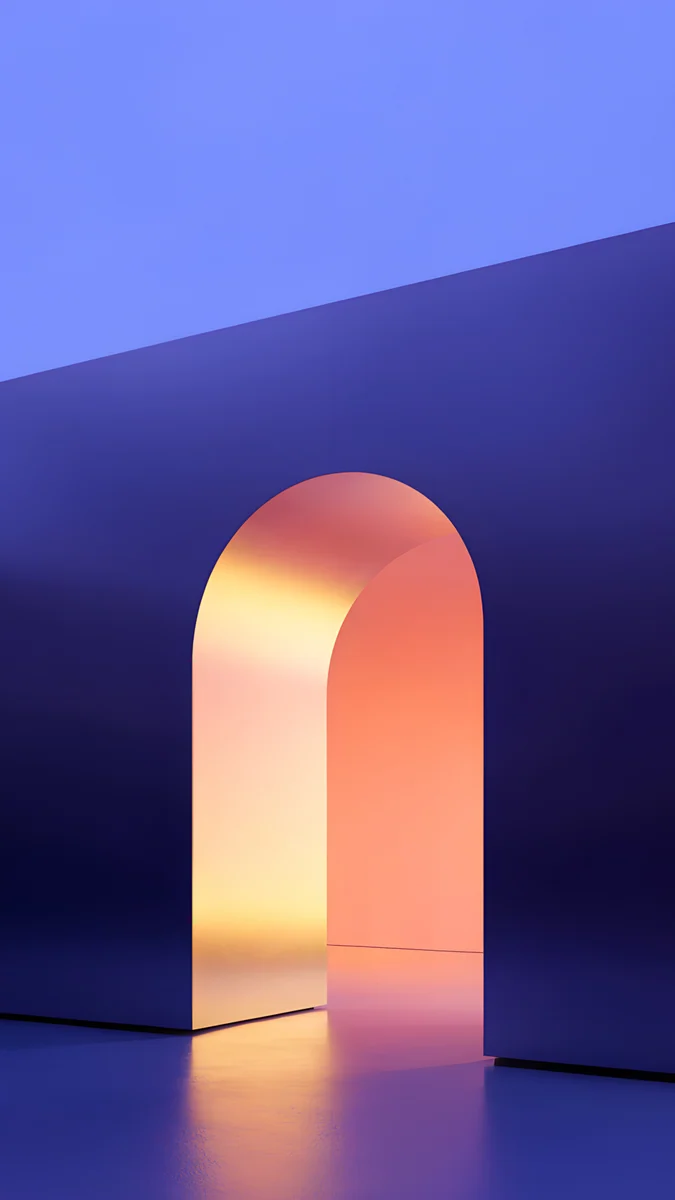 Solar Violet Arch
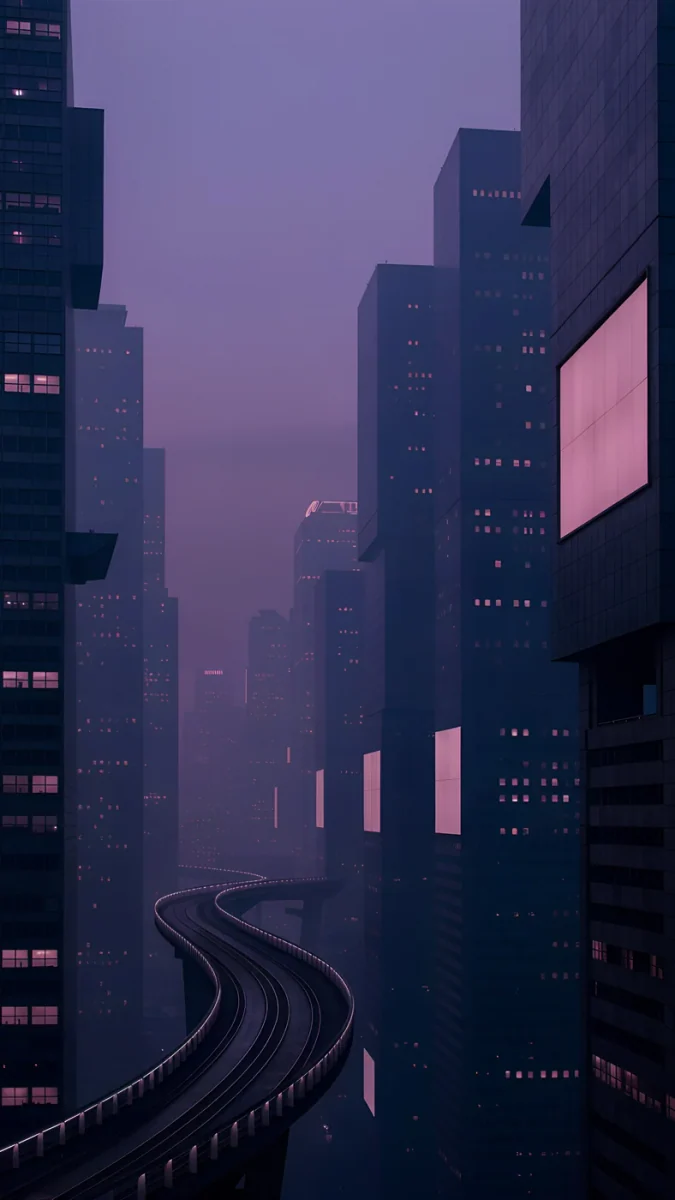 Violet Overpass
 Jade Light Fold
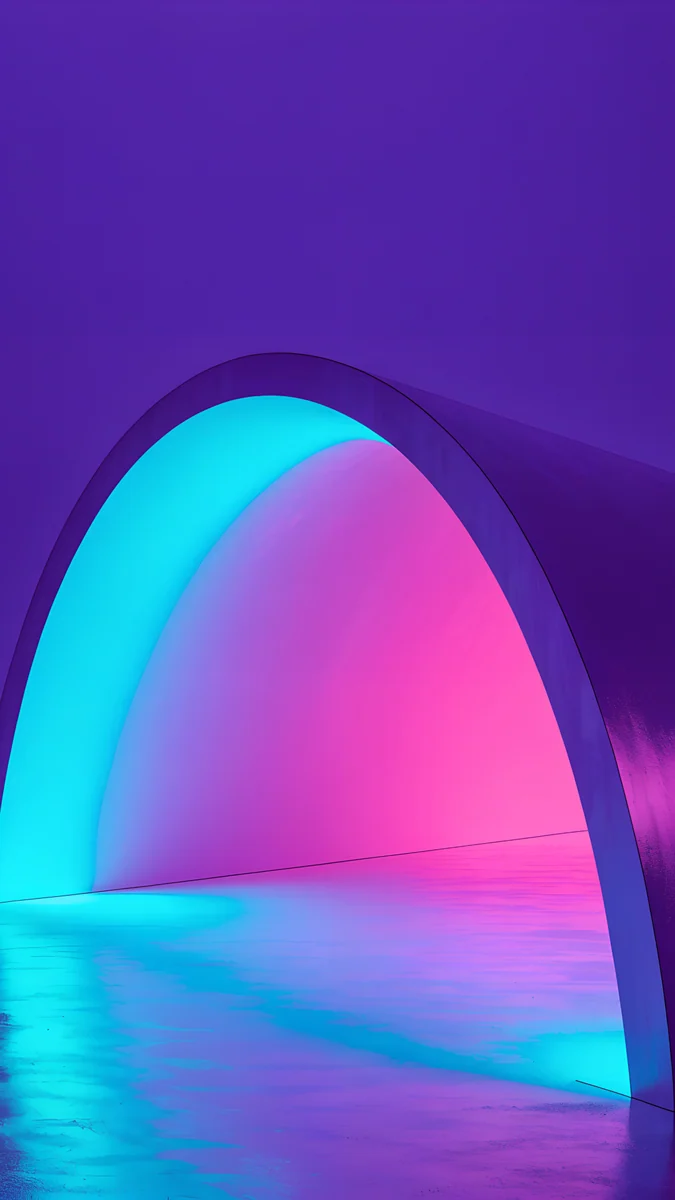 Electric Violet Arch
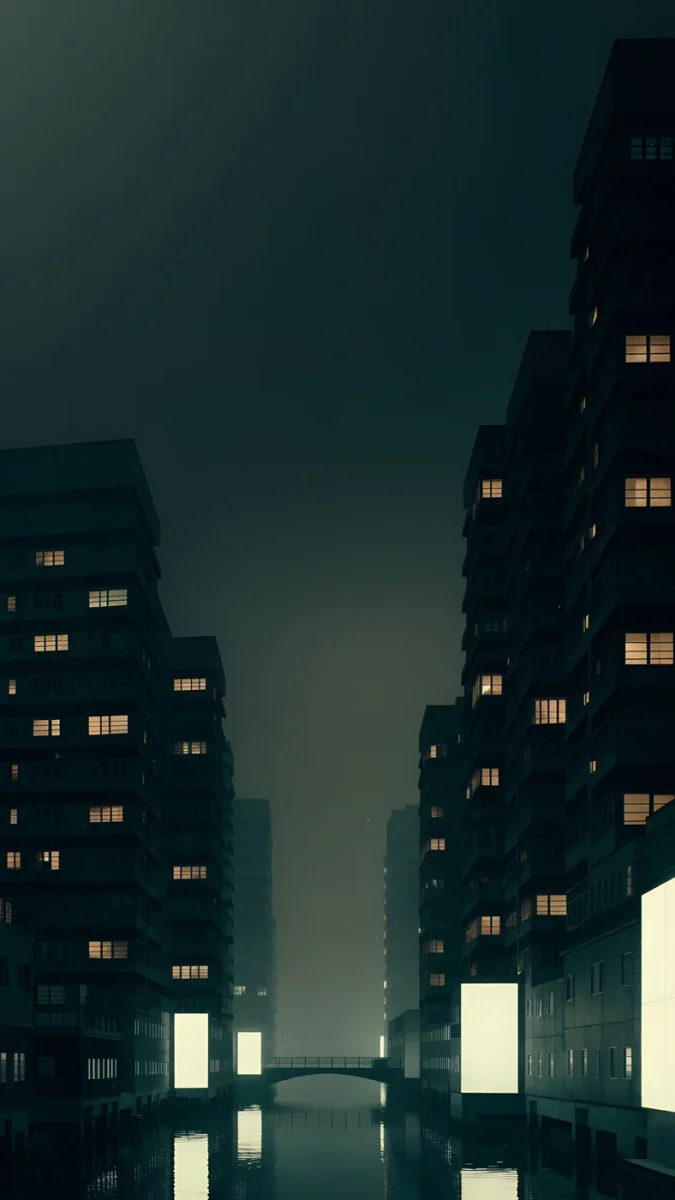 Jade District
 Obsidian Waves
 Rose Hour
 Blue Reverie
 Cobalt Shadow Ascent
 Peach Switchback
Free 4K originals for iPhone and Android, no watermark
On this page
A good wallpaper for a Xiaomi, Redmi or Redmi Note phone is a tall portrait image with the subject in the middle and calm edges. Almost every current model has an elongated screen of about 20:9, so HyperOS trims a little from the sides of any picture. Most of them are AMOLED, where a dark ground with one shape of color looks its best.
Below are the resolutions of the models we checked on Xiaomi's official mi.com spec pages, wallpapers for AMOLED and for a light theme, and the steps in HyperOS.
Xiaomi and Redmi wallpaper size by model
These figures come from the Xiaomi Global spec pages. Regional versions can differ slightly.
| Model | Screen | Resolution (pixels) |
|---|---|---|
| Redmi Note 14 | 6.67", AMOLED | 2400 × 1080 |
| Redmi Note 14 5G | 6.67", AMOLED | 2400 × 1080 |
| Redmi Note 14 Pro 5G | 6.67", AMOLED | 2712 × 1220 |
| Redmi Note 14 Pro+ 5G | 6.67", AMOLED | 2712 × 1220 |
| Redmi Note 15 Pro 5G / Pro+ 5G | 6.83", AMOLED | 2772 × 1280 |
| Redmi 15 | 6.9", FHD+ | 2340 × 1080 |
| Xiaomi 15 | 6.36", AMOLED | 2670 × 1200 |
| Xiaomi 15T / 15T Pro | 6.83", AMOLED | 2772 × 1280 |
| Xiaomi 17 | 6.3", OLED | 2656 × 1220 |
All of them are narrower than a 9:16 image. When HyperOS fits a 2160 × 3840 file to the screen height, it scales it down and trims roughly a tenth from each side. Scaling down never blurs, so the same file works on a Redmi Note 14 and a Xiaomi 15T. Just watch the sides and pick wallpapers with the subject in the center. Other Android phones are covered in our Android wallpaper size guide.
Dark AMOLED wallpapers for the Redmi Note 14 Pro, Xiaomi 15 and 15T
On AMOLED every pixel makes its own light. Black areas stay off, and against them a colored arch or city lights look brighter than they would on a regular screen.
Solar Violet Arch4K · PhoneElectric Violet Arch4K · PhoneViolet Overpass4K · PhoneJade District4K · PhoneObsidian Waves4K · Phone- Solar Violet Arch: a peach archway glows in a violet wall and reflects in the floor. The top stays calm for the HyperOS clock.
- Electric Violet Arch: a neon vault running from turquoise to pink. The boldest pick, for people who like contrast.
- Violet Overpass: a city at night in lilac fog, with a curving overpass between towers. It adds depth if you use the lock screen depth effect.
- Jade District: dark blocks with yellow windows in a green haze, a quiet night scene.
- Obsidian Waves: silver waves at the bottom and near-black above. Minimal, made for dark mode.
More in this style in our dark OLED wallpaper collection.
Light, soft wallpapers for the Redmi Note 14 and Redmi 15
If your home screen is full of icons and widgets, a background without small detail works better. These are soft in color and stay out of the way with a light theme.
Jade Light Fold4K · PhoneRose Hour4K · PhoneBlue Reverie4K · PhoneCobalt Shadow Ascent4K · PhonePeach Switchback4K · Phone- Jade Light Fold: crossing sheets of jade glass, from mint to deep green.
- Rose Hour: a hazy pink to grey gradient where any icon reads clearly.
- Blue Reverie: blue at the top and lilac light below, calm and a good match for a blue or grey phone.
- Cobalt Shadow Ascent: a blue staircase with warm bands of light, a little more movement.
- Peach Switchback: peach stairs on a pale ground, the brightest of the set.
All of them are 4K at 2160 × 3840, more than enough for the 2772 × 1280 screen of the Redmi Note 15 Pro.
How to set a wallpaper on a Xiaomi with HyperOS
Many current Xiaomi and Redmi phones launched with HyperOS 2, and newer models such as the Xiaomi 17 ship with HyperOS 3. The path barely changes:
- Save the original to the phone. Browser downloads show up in Gallery.
- Open the photo in Gallery, tap More and choose Set as wallpaper.
- Adjust the framing and choose the lock screen, the home screen or both.
The other route is Settings, then Wallpaper (on some versions Wallpaper & personalization). Menu names depend on the version and region. For every brand, including how to stop the lock screen changing by itself, see how to set a wallpaper on Android.
Common problems and fixes
- It looks soft. The file is small or it is a screenshot. Download the full 2160 × 3840 original.
- The sides are cut off. Xiaomi screens are narrower than 9:16. Pick a wallpaper with a centered subject or move the frame when applying it.
- The wallpaper changed after a theme. Every theme from the Themes app brings its own wallpaper. Set yours again after applying the theme.
- The lock screen keeps changing. A wallpaper carousel service is on. Turn it off in its settings or under the lock screen settings; the name and location vary by region.
- Dark mode makes it dull. HyperOS can dim the wallpaper along with dark mode. If your version has that option, it sits in the dark mode settings.
Get these wallpapers in Velpaper
Velpaper is a wallpaper app for iPhone, iPad, Mac and Android, with the same collection on velpaper.com. Every wallpaper is a 4K original by Carlos Vivero: 2160 × 3840 for phones, 4K or 5K for desktops.
- Open Solar Violet Arch in the Velpaper Android app or on velpaper.com.
- Unlock the download, usually after a short optional ad in the app, and save the original.
- Set it from Gallery as described above.
No account is needed and there is no watermark.
Original wallpapers in 4K and 5K for iPhone, Android and desktop.
Questions
What size wallpaper does the Redmi Note 14 need?
According to Xiaomi, the Redmi Note 14 and Redmi Note 14 5G have a 6.67 inch AMOLED screen at 2400 × 1080, and the Redmi Note 14 Pro 5G and Pro+ 5G are also 6.67 inches but run at 2712 × 1220. You do not need a separate file for each. A 2160 × 3840 image is larger than all of those screens, so HyperOS only scales it down and trims a little from the sides. With the subject in the center it looks sharp on every model in the series.
Which wallpapers look best on a Xiaomi AMOLED screen?
On AMOLED, black pixels stay off, so dark wallpapers with one bright shape or a few lights work best. Good examples are Solar Violet Arch, a peach archway in a violet wall, Electric Violet Arch with its neon vault, and Obsidian Waves, which is almost entirely black. The clock and notifications stay crisp and dark mode looks consistent. If you prefer a light home screen, choose soft gradients such as Rose Hour, which do not compete with your icons.
How do I set a wallpaper on a Xiaomi or Redmi phone?
The quickest way is from Gallery: open the image, tap More, choose Set as wallpaper, adjust the framing and pick the lock screen, the home screen or both. You can also open Settings and go to Wallpaper, which some versions call Wallpaper & personalization. The path is nearly the same in HyperOS 2 and HyperOS 3, though menu names can differ by model, software version and region. If a theme replaces your wallpaper, simply set it again after the theme is applied.
Will one wallpaper fit both the Redmi Note 14 and the Xiaomi 15T?
Yes. The Xiaomi 15T and 15T Pro run at 2772 × 1280, the Redmi Note 14 at 2400 × 1080 and the Redmi Note 14 Pro at 2712 × 1220, and all of them are elongated screens of about 20:9. A 2160 × 3840 file is taller and wider than any of them, so the system only scales it down and trims about a tenth of the width from each side. The only difference between models is how much falls into that crop. A wallpaper with calm edges and a centered subject looks equally good on both.
Are Velpaper wallpapers free for Xiaomi phones?
You can browse and preview every wallpaper for free in the Velpaper Android app and on velpaper.com. Most phone wallpapers unlock after a short optional ad in the app, with no subscription and no account. Each file is a 4K original at 2160 × 3840 pixels with no watermark, designed by Carlos Vivero. That size covers every Xiaomi, Redmi and Redmi Note phone we checked, including the Redmi Note 15 Pro and the Xiaomi 15T Pro.
Carlos Vivero
Designer of Velpaper wallpapers
Carlos Vivero designs the wallpapers in Velpaper: quiet architecture, liquid glass, Japanese ink and calm landscapes. Every piece is made as a 4K original for iPhone, Android and desktop.
Recent work








