Christmas Wallpaper: 6 Free Minimal 4K Winter Night Scenes
Christmas wallpaper for iPhone and Android: snowy courtyards, lantern stairs, a starlit window and a lit rooftop pine. Free 4K originals, no watermark.
In short: For a Christmas wallpaper that still looks good in January, pick a quiet winter night scene over a busy pattern of baubles and candy canes. Velpaper's six new Christmas wallpapers are 4K phone originals (2160 × 3840) built around snow, warm light and one small pine, so the lock screen clock stays easy to read.
By the Velpaper team · Wallpapers by Carlos Vivero, Velpaper designer · · Updated · 5 min read
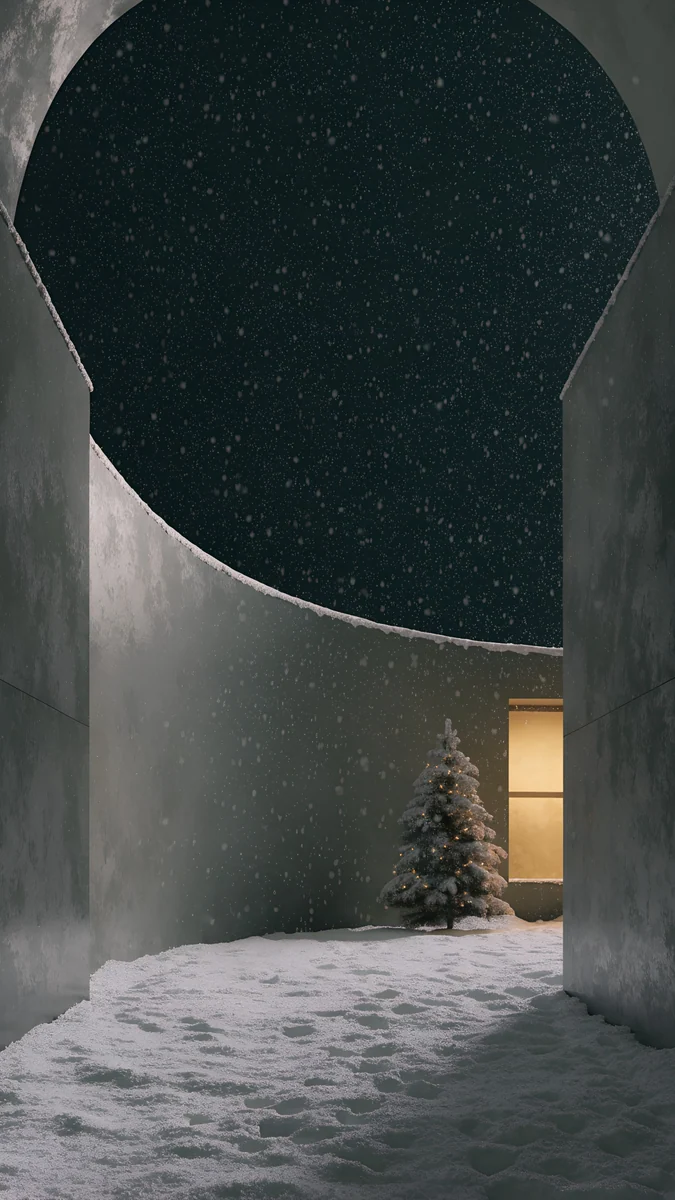 Snow Courtyard
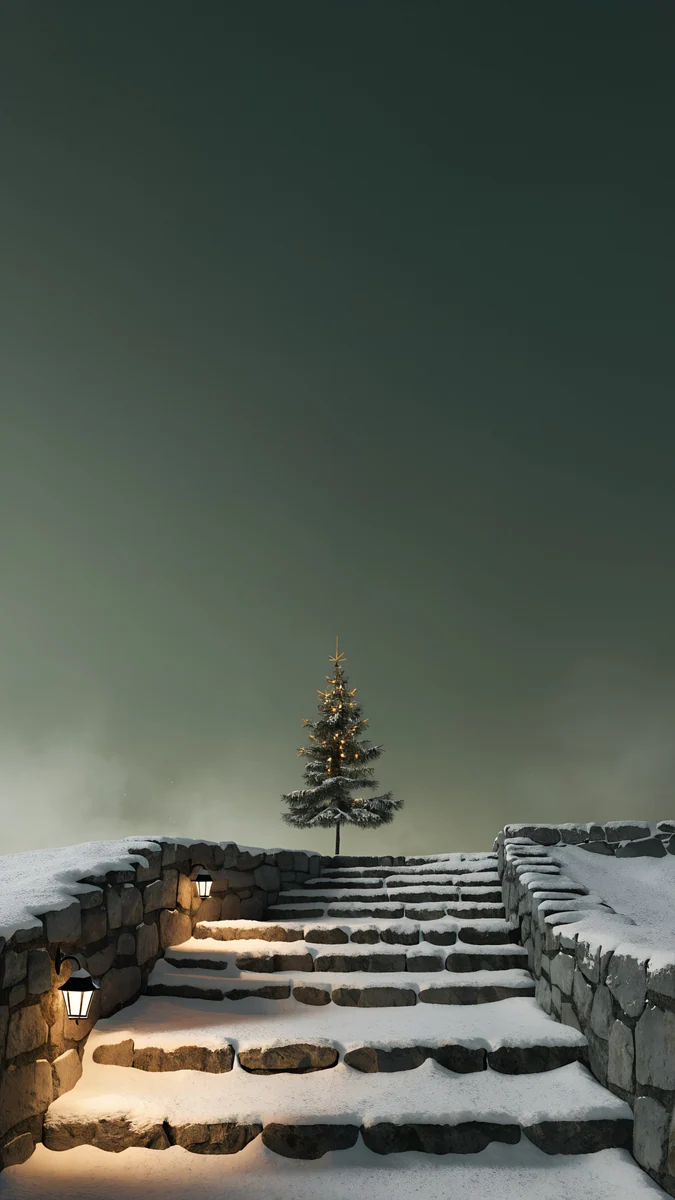 Lantern Snow Stairs
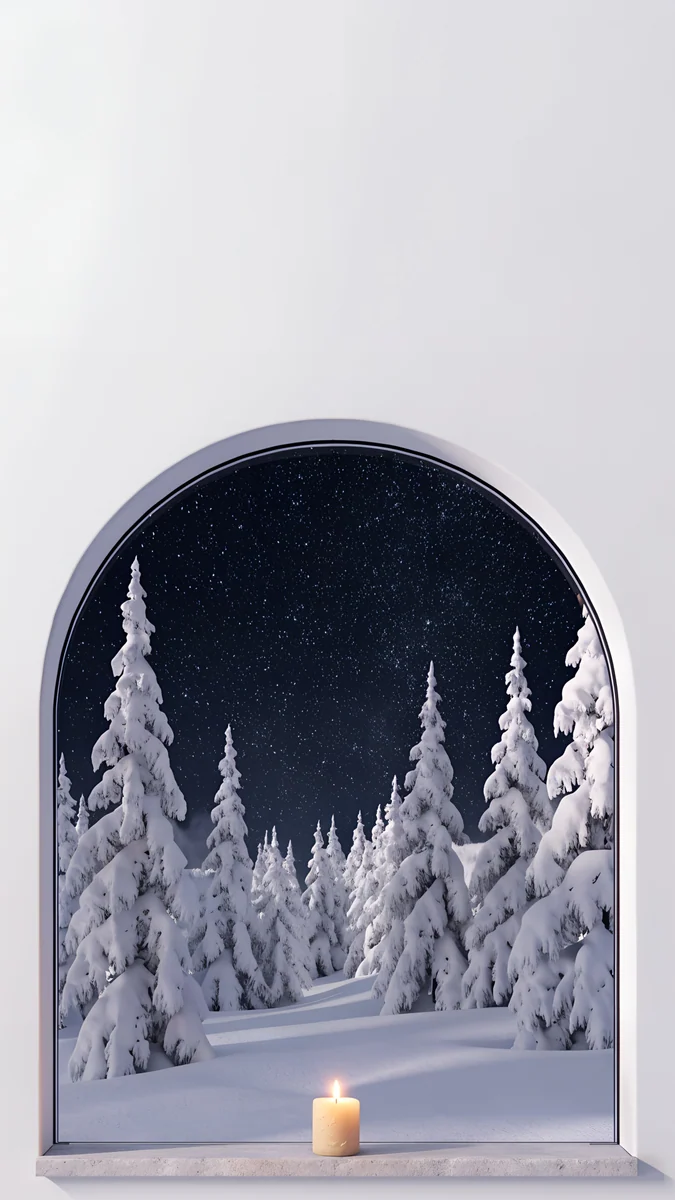 Starlit Window
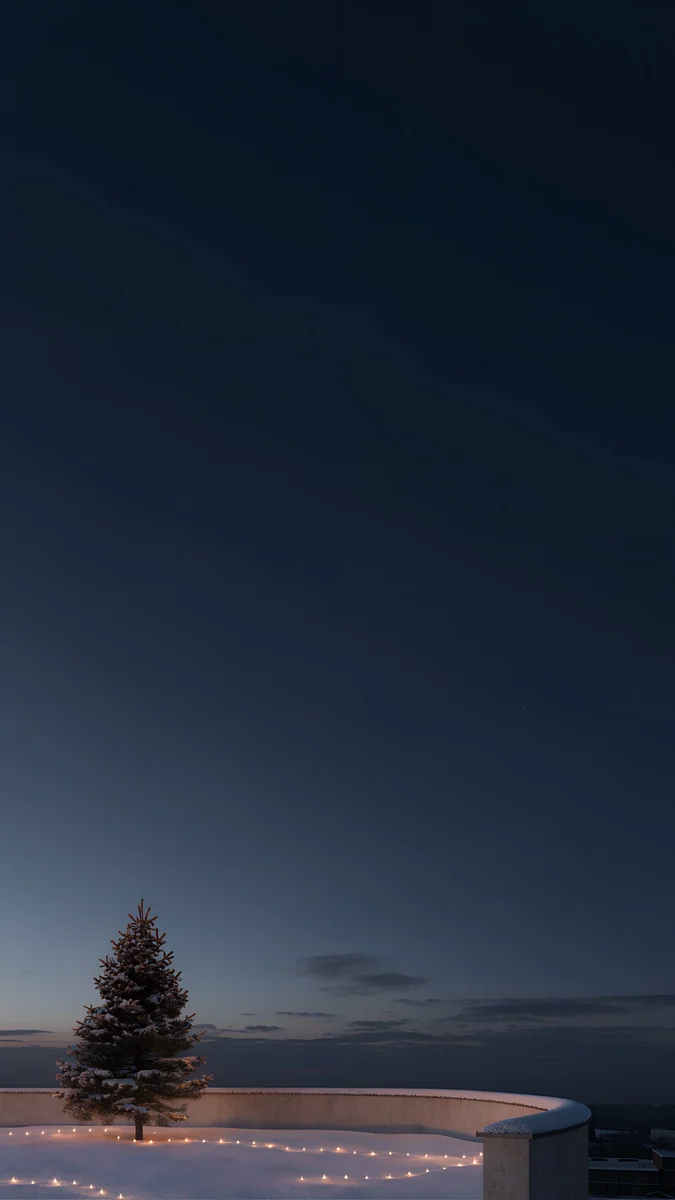 Rooftop Pine
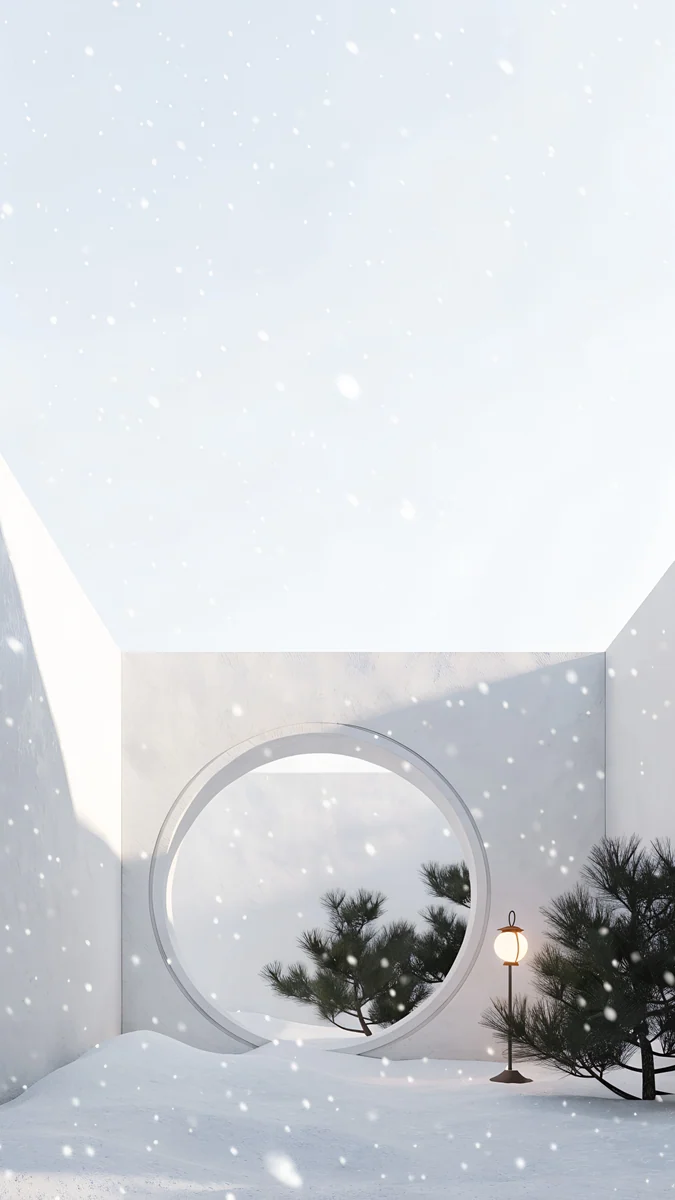 Moon Gate Snow
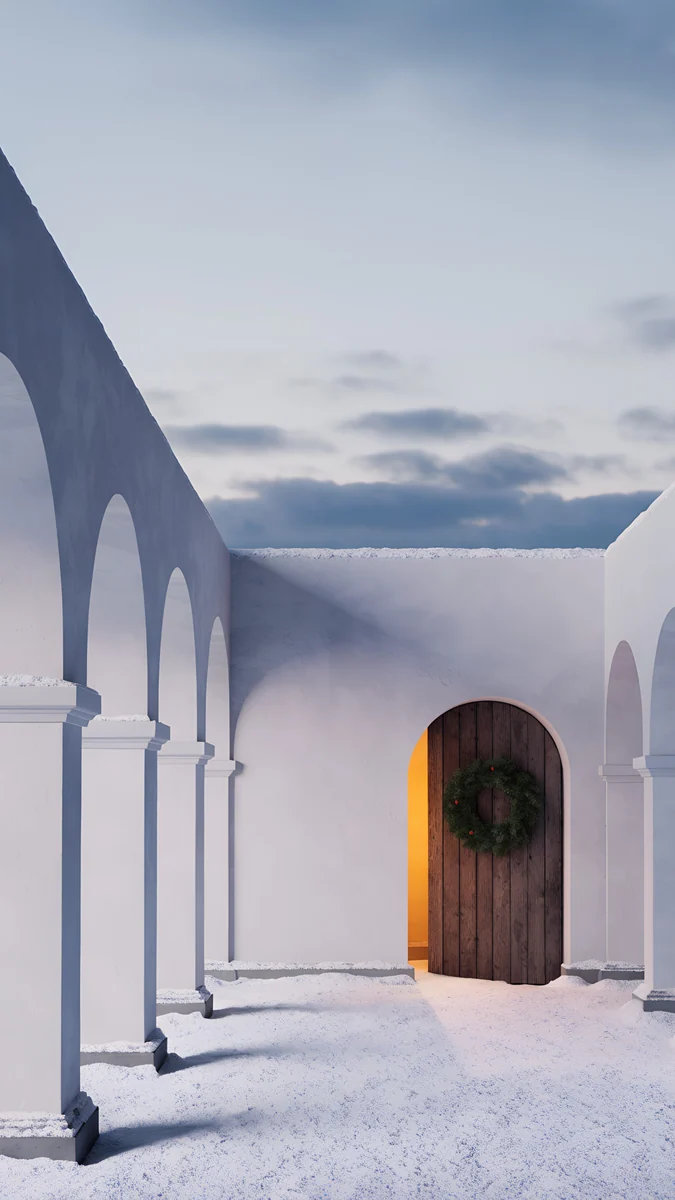 Cloister Wreath
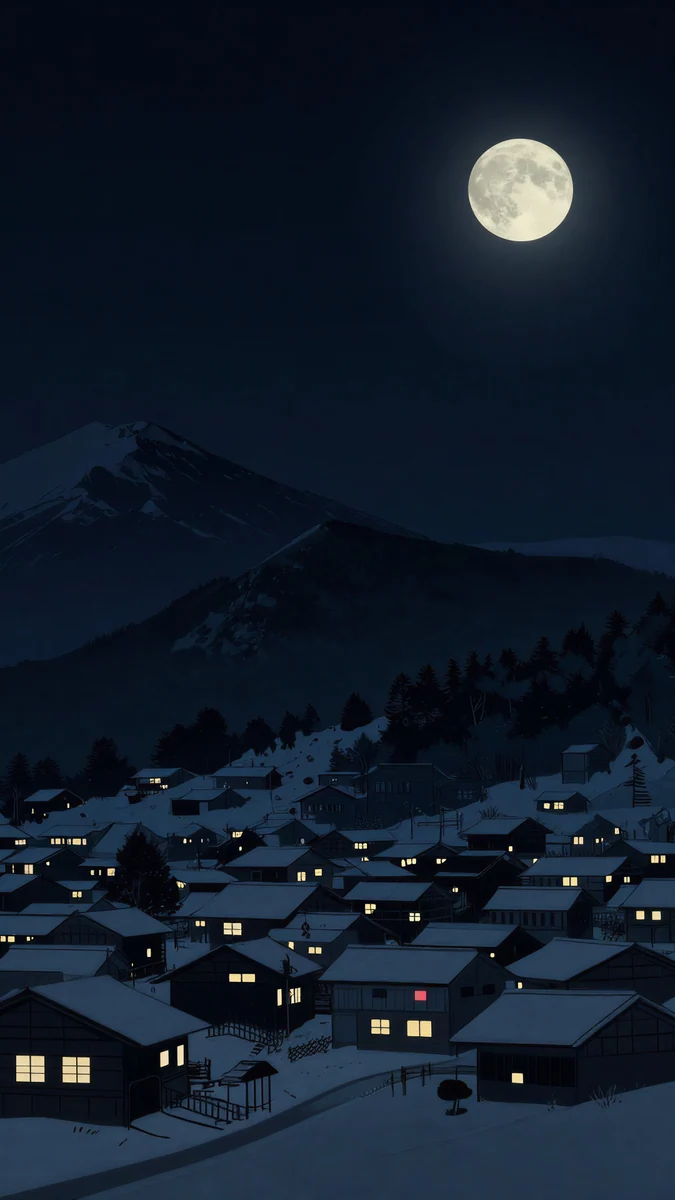 Snow Lantern Village
 Snow Village
Free 4K originals for iPhone and Android, no watermark
On this page
The best Christmas wallpaper for a phone is a calm winter scene with one warm light and plenty of dark sky, not a crowded collage. It feels festive from the first of December, it does not fight the clock, and it still looks right after New Year. That is the idea behind this set.
Velpaper made six new Christmas wallpapers for this season. Each one is a 4K phone original at 2160 × 3840 pixels, available in the Velpaper app for iPhone, iPad, Mac and Android and on velpaper.com. There are no characters, no text and no Santa: just snow, stone, pine and light.
What is in this Christmas wallpaper set
Here is the whole set at a glance, with the mood of each piece and where it works best.
| Wallpaper | Mood | Best for |
|---|---|---|
| Snow Courtyard | Dark, starry, warm window | Lock screen clock |
| Lantern Snow Stairs | Calm, lantern glow | Lock screen clock |
| Starlit Window | Calm, one candle | Lock screen clock |
| Rooftop Pine | Dark, string lights | OLED and dark mode |
| Moon Gate Snow | Light, white plaster | Home screen |
| Cloister Wreath | Calm, dusk | Home screen |
Snow Courtyard4K · PhoneLantern Snow Stairs4K · PhoneStarlit Window4K · PhoneRooftop Pine4K · PhoneMoon Gate Snow4K · PhoneCloister Wreath4K · PhoneAll six are phone wallpapers in a portrait 9:16 frame, so they fill a modern iPhone or Android screen without stretching.
The six scenes, one by one
Snow Courtyard
Snow Courtyard is the heart of the set. A snowy courtyard ringed by arches sits under a starry night sky. In the middle stands a small decorated pine, a single window glows warm, and snow is falling. If you only download one Christmas wallpaper this year, start here.
Lantern Snow Stairs
Lantern Snow Stairs climbs a snowy stone staircase at night. Warm lanterns line the way up, and a small pine waits at the top. The steps pull the eye upward, which gives the lock screen a quiet sense of direction.
Starlit Window
Starlit Window looks out through an arched window onto a snowy pine forest under the stars. One candle burns on the inside. It is the most intimate scene of the six, a good pick for the long evenings around the holidays.
Rooftop Pine
Rooftop Pine is set on a snowy rooftop terrace at night, with one lit pine and a run of string lights. Its palette sits in deep teal and near black, so it is the darkest piece here and the natural choice for an OLED screen.
Moon Gate Snow
Moon Gate Snow is the light one: a white plaster courtyard with a round moon gate, fresh snow, a lantern and a few small pines. It suits a light home screen and dark icons.
Cloister Wreath
Cloister Wreath shows a snowy cloister arcade at dusk, with a green wreath hung on a wooden door. The grey and blue tones are soft, and the wreath is the only real colour, which makes it a calm, grown-up take on Christmas.
Why an aesthetic Christmas wallpaper works on a lock screen
Most aesthetic Christmas wallpaper searches end in the same place: something festive that does not look like a greeting card. Three things make that work on a phone.
Dark sky at the top. The clock and date sit in the upper third. A night sky gives them a plain, dark field, so a white clock reads at a glance.
One warm light. A window, a candle or a lantern gives the eye a single place to rest. Ten bright points would compete with your notifications.
Winter first, Christmas second. Snow and pine say December without shouting it. These scenes work as a winter wallpaper from the first frost until the snow melts, so you do not have to change your phone on 26 December.
How to set your Christmas wallpaper
Save the wallpaper first. In the Velpaper app tap Save; on velpaper.com open the wallpaper page and download the 4K file. Then follow your phone below.
iPhone with iOS 26 or iOS 18
- Open Settings, then Wallpaper, and tap Add New Wallpaper.
- Tap Photos and choose the wallpaper you saved.
- Pinch and drag so the warm light sits below the clock.
- Tap the clock to set its colour: white works on all the dark scenes.
- Tap Add, then Set as Wallpaper Pair or Customise Home Screen.
You can also press and hold the lock screen, tap the plus button and pick Photos. The full walkthrough is in our guide on how to set a lock screen wallpaper on iPhone.
Android 16 or 15 (Pixel and stock Android)
- Press and hold an empty spot on the home screen.
- Tap Wallpaper & style, then choose your photo.
- Frame the picture, then pick Home screen, Lock screen or both, and tap Set wallpaper.
Samsung Galaxy with One UI
- Open Settings, then Wallpaper and style.
- Tap Change wallpapers and choose the image from Gallery.
- Pick Lock screen, Home screen or both, then tap Done.
More detail for every brand is in how to set a wallpaper on Android.
Styling tips for a festive phone
Match the clock to the scene. Snow Courtyard, Starlit Window and Rooftop Pine want a white or pale gold clock. Moon Gate Snow is light enough for a dark clock. If the time still gets lost, our guide to a lock screen wallpaper that keeps the clock readable has fixes.
Use a different picture for each screen. A dark scene on the lock screen and Moon Gate Snow or Cloister Wreath behind your icons keeps the home screen bright and tidy.
Go darker on OLED. Rooftop Pine has the most near-black area, so most of the screen stays dim at night. For more ideas, see our dark OLED wallpapers.
Keep the widgets light. One weather widget is enough. The scene does the decorating.
More winter wallpapers and a desktop option
If you want to widen the theme, two older pieces fit the season. Snow Lantern Village is a dark, quiet snowy village, and Snow Village is a light winter scene in a Japanese print style.
The six new Christmas wallpapers are phone originals only. For a Christmas desktop wallpaper on a laptop or monitor, the wide version of Snow Village comes in 3840 × 2160 and is free.
Next step: open Snow Courtyard and download it in 4K, then set it on your lock screen with a white clock. It takes under a minute.
Original wallpapers in 4K and 5K for iPhone, Android and desktop.
Questions
Are these Christmas wallpapers free?
Browsing and previewing every wallpaper is free on velpaper.com and in the apps. The six new Christmas wallpapers are phone originals that unlock after a short optional ad in the Velpaper app for iPhone, iPad and Android. On the website, if no ad is available, the original downloads for free. There is no sign-up and no subscription, and the file you get is the full 2160 × 3840 original without a watermark or any text on the image.
What resolution are these Christmas wallpapers?
Every wallpaper in the set is a 4K phone original at 2160 × 3840 pixels, which is a 9:16 portrait frame. That is larger than the native screen of any current iPhone or Android phone, so the phone scales it down and the edges of the snow, the arches and the lights stay sharp. Download the original from the wallpaper page rather than taking a screenshot of the preview, because screenshots are smaller and compressed.
Which Christmas wallpaper is best for an iPhone lock screen?
Snow Courtyard and Starlit Window are the strongest lock screen picks. Both are night scenes with a dark starry sky in the upper part of the frame, so a white clock reads at a glance, and both have one warm light lower down that gives the screen a focal point. Lantern Snow Stairs works the same way. Set the clock to white or a pale warm tint and keep the lock screen widgets to one or two.
Can I keep a Christmas wallpaper after the holidays?
Yes, and that is why this set leans on winter rather than decorations. Snow, stone arches, pine and lantern light read as a winter wallpaper as much as a Christmas one. The festive touches are small: a decorated pine in Snow Courtyard, string lights in Rooftop Pine and a wreath in Cloister Wreath. Most people can leave Moon Gate Snow or Starlit Window on their phone until the end of winter without it feeling out of date.
Is there a Christmas desktop wallpaper version?
The six new Christmas pieces are made for phones only, in a portrait 2160 × 3840 frame, so they will not fill a wide screen well. For a laptop or monitor, the wide version of Snow Village is a winter scene in 3840 × 2160 and is free to download. You can pair it with one of the phone scenes for a matching winter look across your devices.
Carlos Vivero
Designer of Velpaper wallpapers
Carlos Vivero designs the wallpapers in Velpaper: quiet architecture, liquid glass, Japanese ink and calm landscapes. Every piece is made as a 4K original for iPhone, Android and desktop.
Recent work







