Dark iPad Wallpaper: 4K Night Picks for Every iPad
Dark iPad wallpapers sorted by screen: night blue for LCD iPads, true black for OLED models, dark wide files for the keyboard, plus Dark Mode setup in iPadOS.
In short: The best dark iPad wallpaper depends on the screen: iPad Air, the 11 inch iPad and the iPad mini (A17 Pro) use LCD, where deep navy and night scenes look better than pure black, while the OLED iPad Pro and iPad mini (A20 Pro) show true black. Pair either with Dark Mode, set in Display & Brightness.
By the Velpaper team · Wallpapers by Carlos Vivero, Velpaper designer · · 5 min read
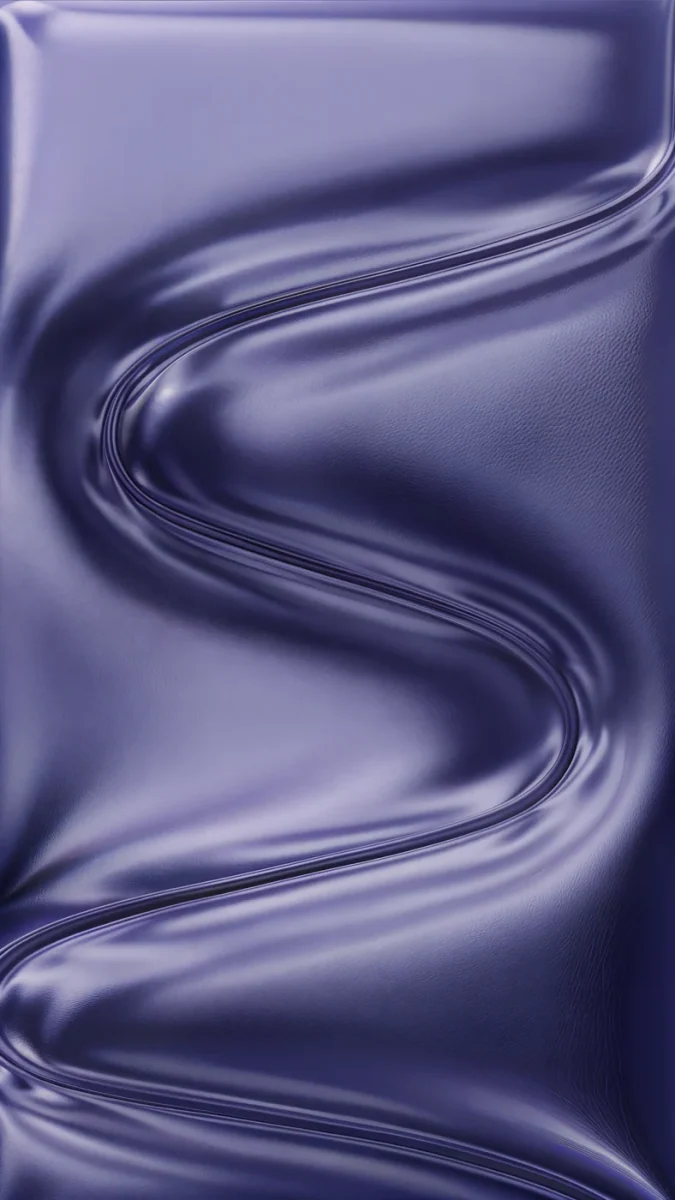 Indigo Passage
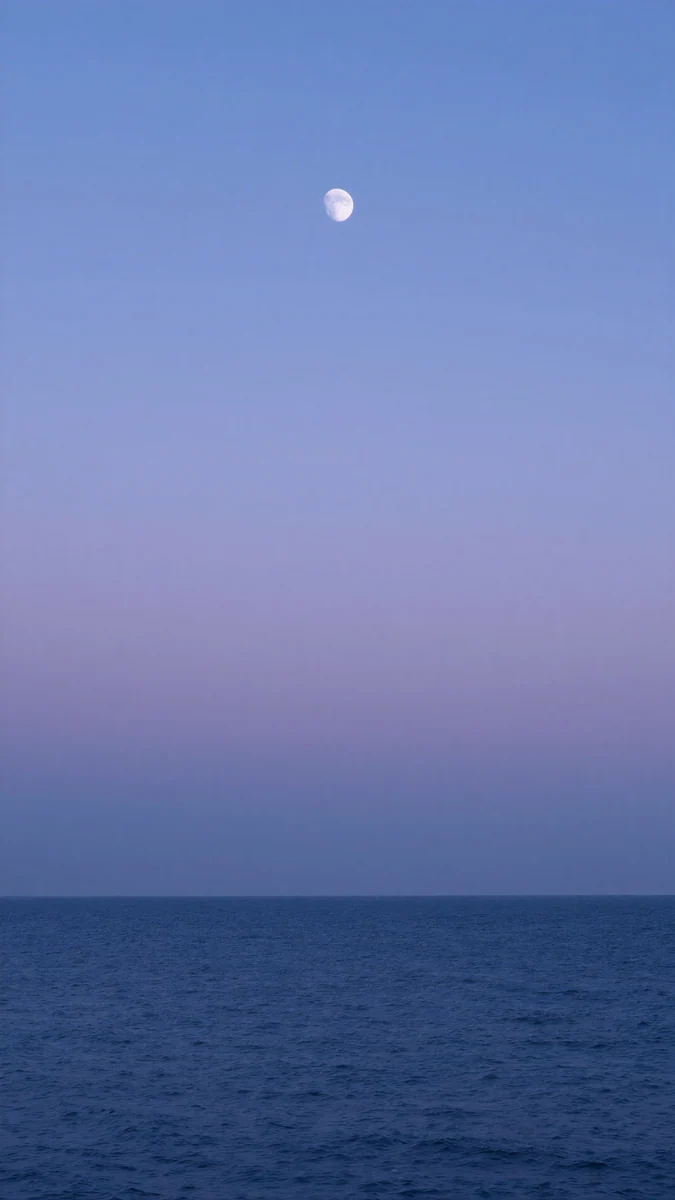 Dusk Moon Sea
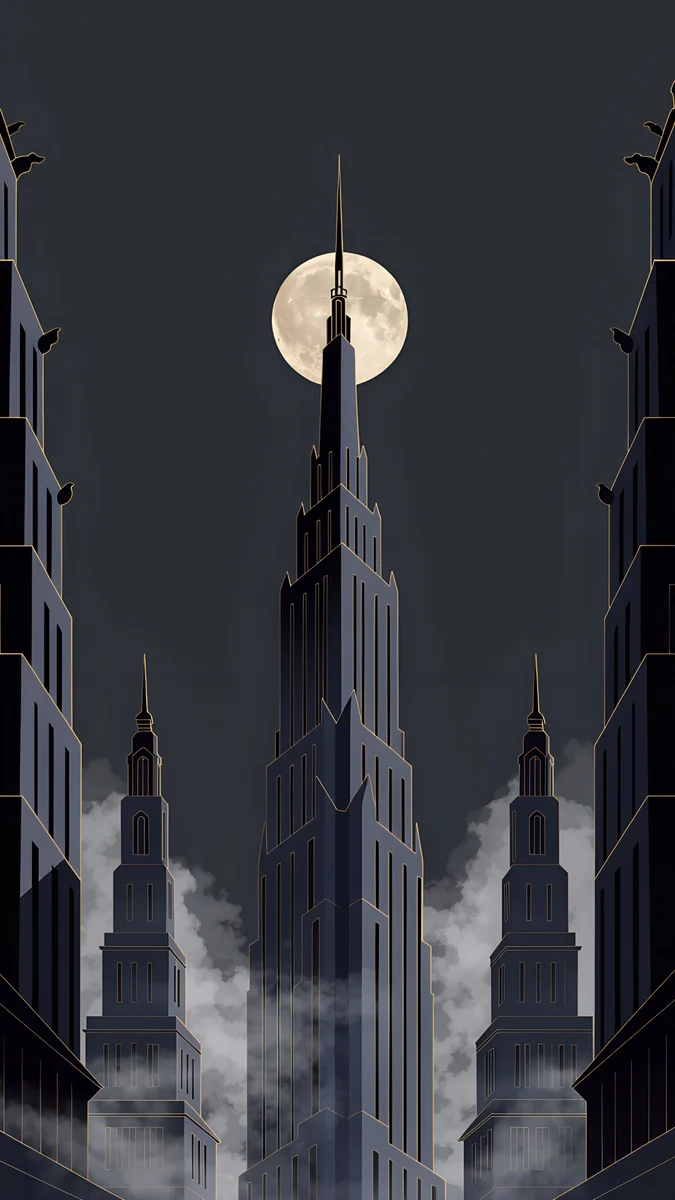 Deco Gold
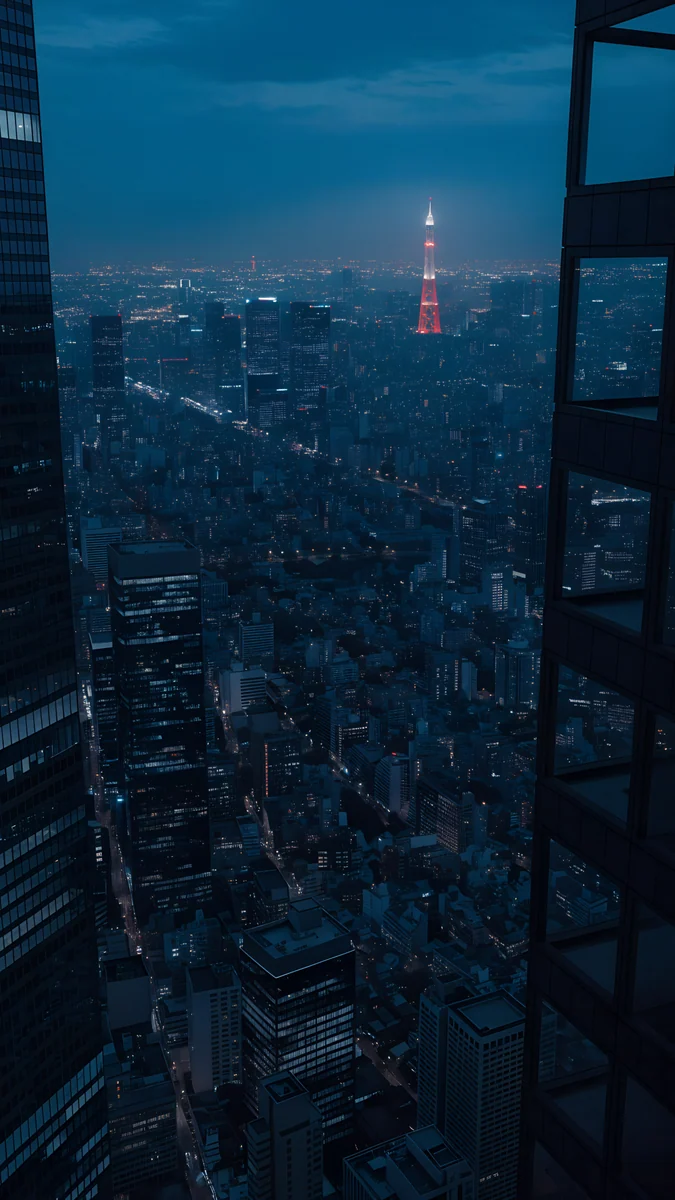 Tokyo Tower Night
 Starlit Colonnade
 Fog Dawn
 Last Stop
 Rain Kept
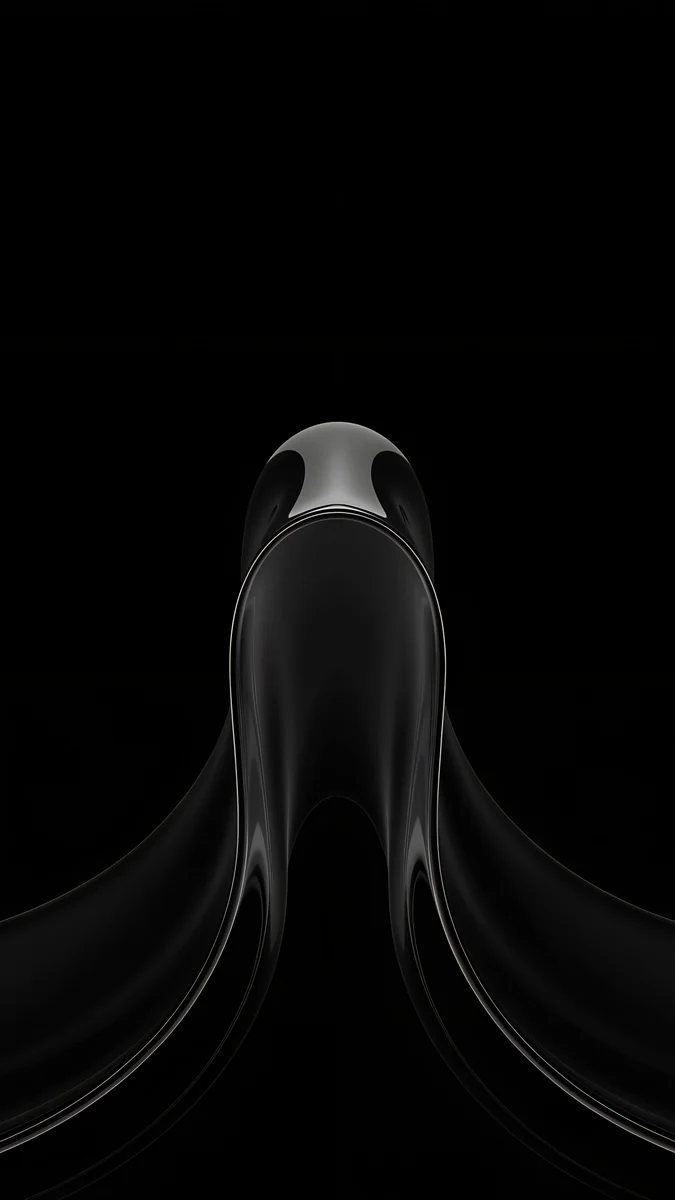 Black Liquid Fold
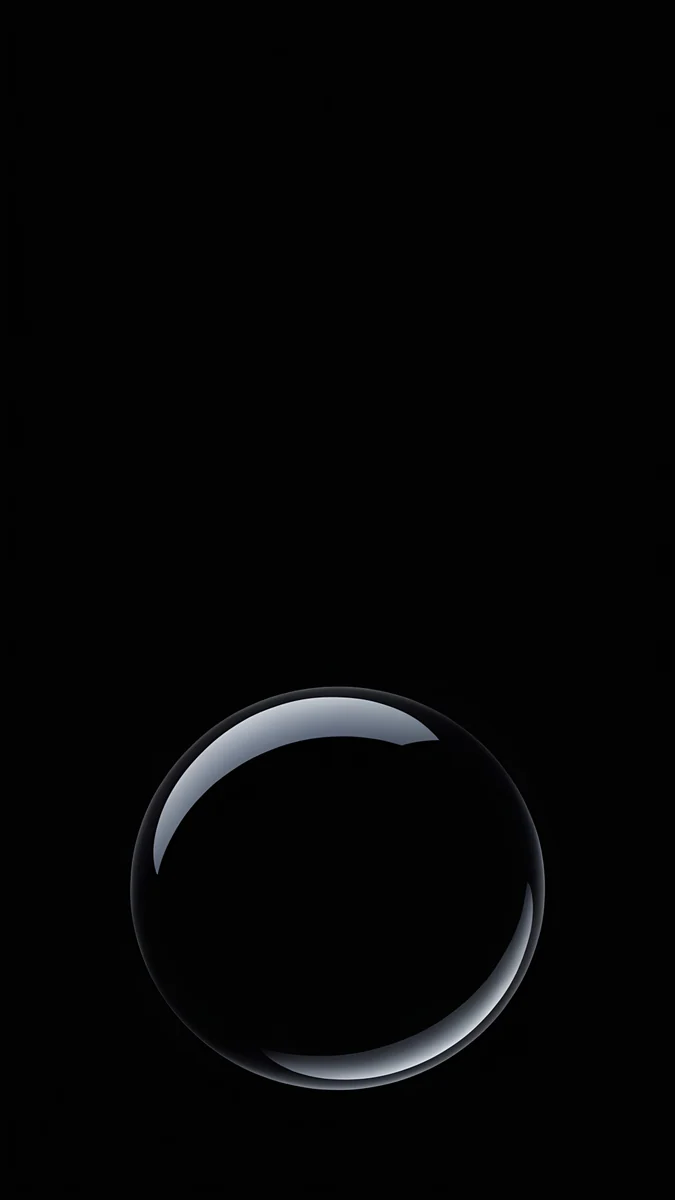 Black Glass Sphere
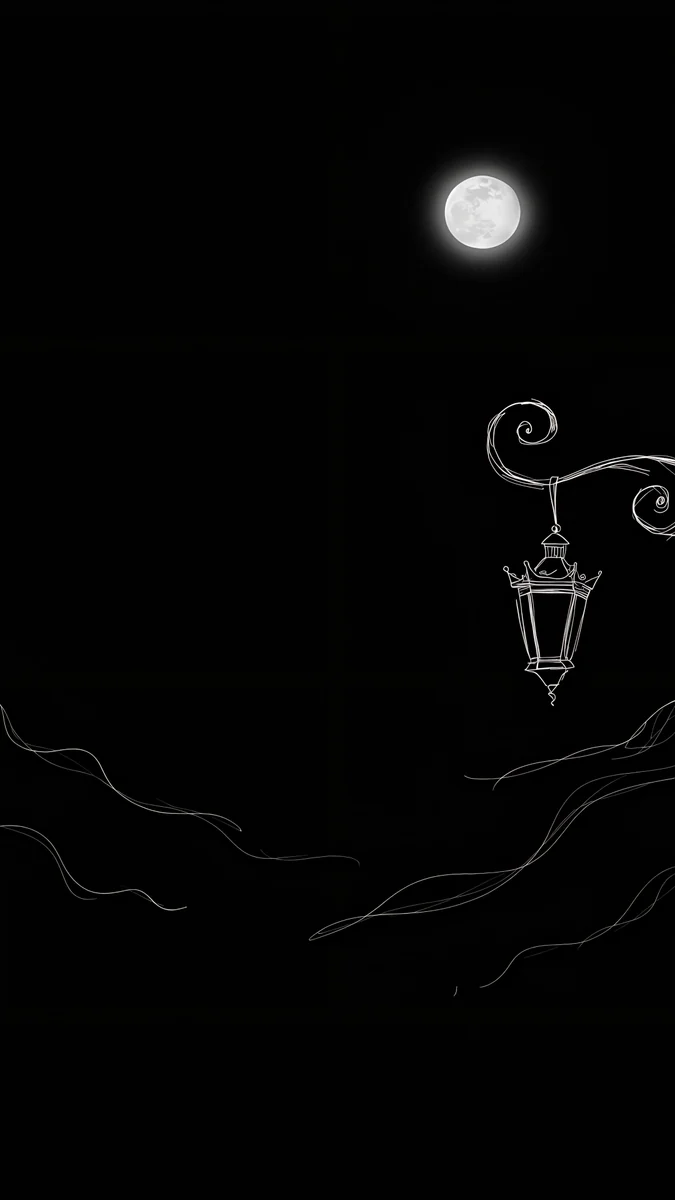 Ink Moon Lantern
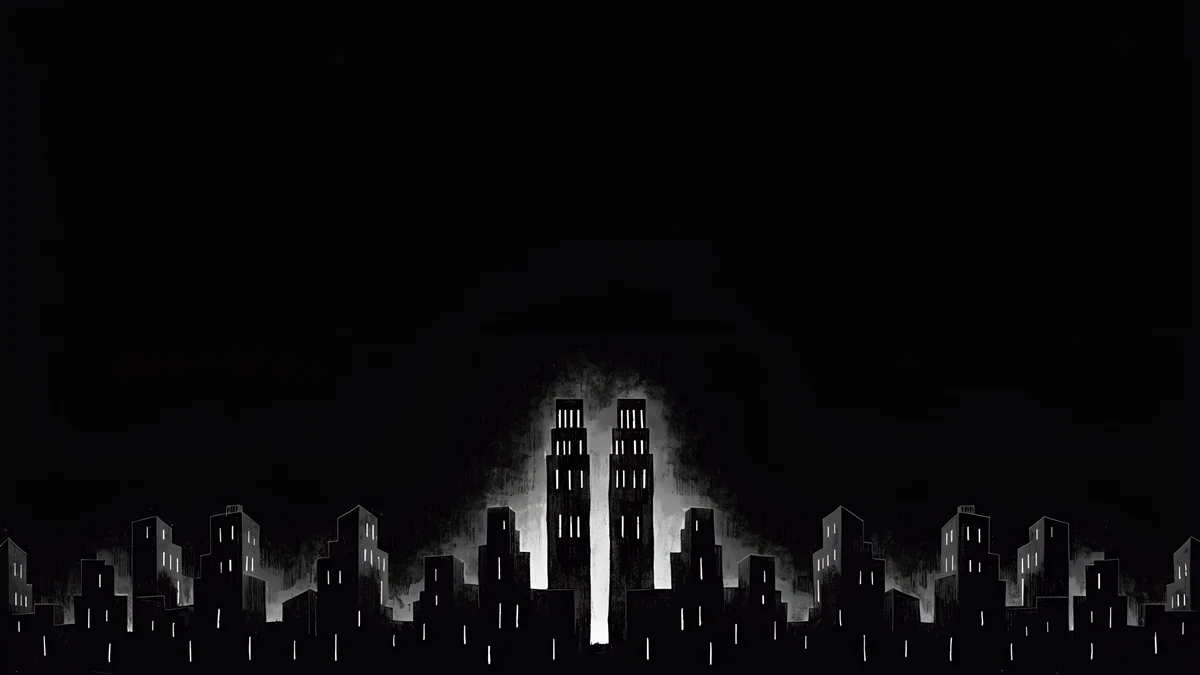 Light Slits
Free 4K originals for iPhone and Android, no watermark
On this page
The best dark iPad wallpaper is not always pure black. On an iPad with an LCD screen, black glows slightly gray, so deep navy, night skies and foggy cities look richer. On an iPad with OLED, black pixels stay dark and a black wallpaper blends into the bezel. Check which screen you have first, then pick from the sets below.
Below is which iPad has which display, how to pair a dark wallpaper with Dark Mode in iPadOS, dark picks for portrait, OLED and the keyboard case, and fixes for the usual problems.
Which iPads show true black
These are the current displays as Apple lists them on its Tech Specs pages:
| Model | Display | Best dark style |
|---|---|---|
| iPad Pro 11 and 13 inch (M4, M5) | Ultra Retina XDR, tandem OLED | True black |
| iPad mini (A20 Pro) | Super Retina XDR, OLED | True black |
| iPad Air 11 and 13 inch (M2, M3, M4) | Liquid Retina, LED backlit LCD | Navy, night scenes |
| iPad 11 inch (A16) | Liquid Retina, LED backlit LCD | Navy, night scenes |
| iPad mini (A17 Pro) | Liquid Retina, LED backlit LCD | Navy, night scenes |
On LCD the backlight lights the whole panel whatever the pixel shows, so a pure black wallpaper becomes a dark gray rectangle with a visible edge. A night scene with some blue in it hides that, because there is no flat black to compare against. On OLED each pixel makes its own light, so pure black really is off. Our iPad Pro wallpapers page goes deep on black for the OLED Pro; this page covers every iPad.
Pair the wallpaper with Dark Mode
- Open Settings, then Display & Brightness, and choose Dark, or turn on Automatic to switch at sunset.
- Open Settings, then Wallpaper. If your version shows Dark Appearance Dims Wallpaper, decide whether you want it: it darkens a bright picture in Dark Mode, and you can leave it off for the dark picks here.
- Set the wallpaper from Add New Wallpaper, then Photos, move the main shape into the middle and tap Add.
Menu names match iPadOS 26 in English and can differ slightly in later versions. The full set of routes, including Photo Shuffle, is in how to change the wallpaper on iPad.
Night blue for LCD iPads
Deep blue and violet instead of black. On an iPad Air or the 11 inch iPad these look dark at night without the gray cast of pure black.
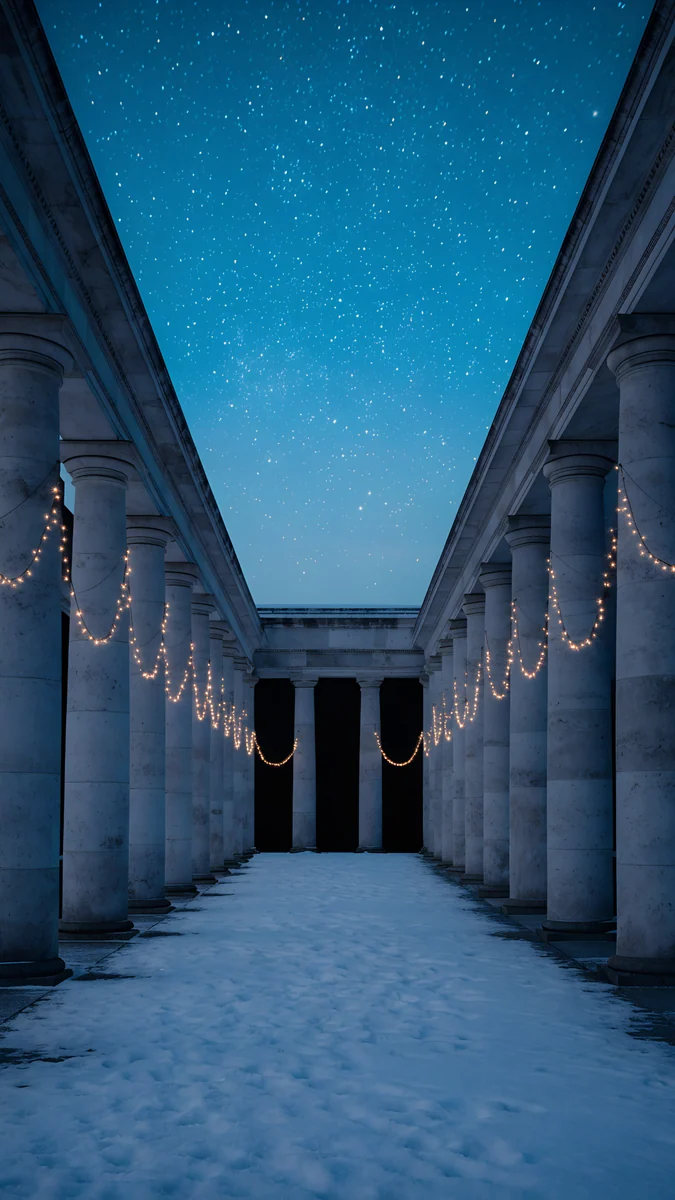
Indigo Passage4K · PhoneDusk Moon Sea4K · PhoneTokyo Tower Night4K · PhoneStarlit Colonnade4K · PhoneIndigo Passage curves one glossy indigo ribbon down a deep violet screen, smooth enough that no crop breaks it. Dusk Moon Sea fades from violet to deep blue over a dark sea with a tiny moon, with a calm top for the clock. Tokyo Tower Night looks over a blue city at night to one small red tower in the middle. Starlit Colonnade runs a snowy colonnade with warm string lights under a starry blue sky, a quiet winter pick.
Moody noir and fog
Dark gray, fog and rain. These suit any iPad, LCD or OLED, because their darks are soft rather than flat black.
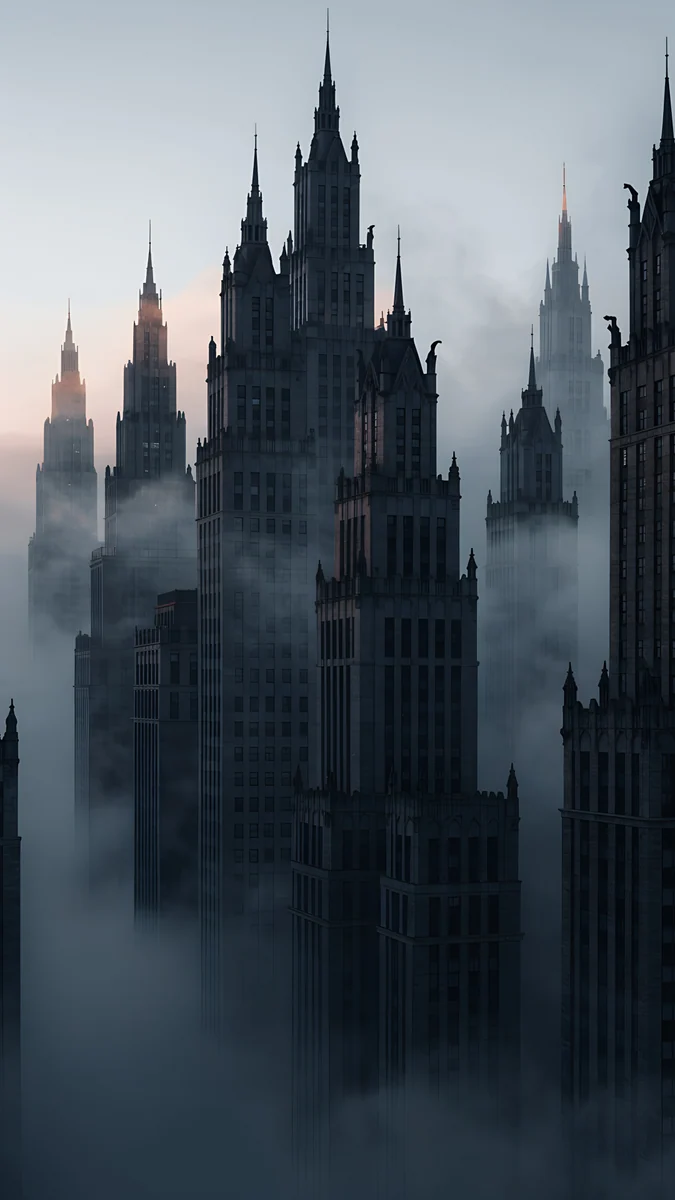
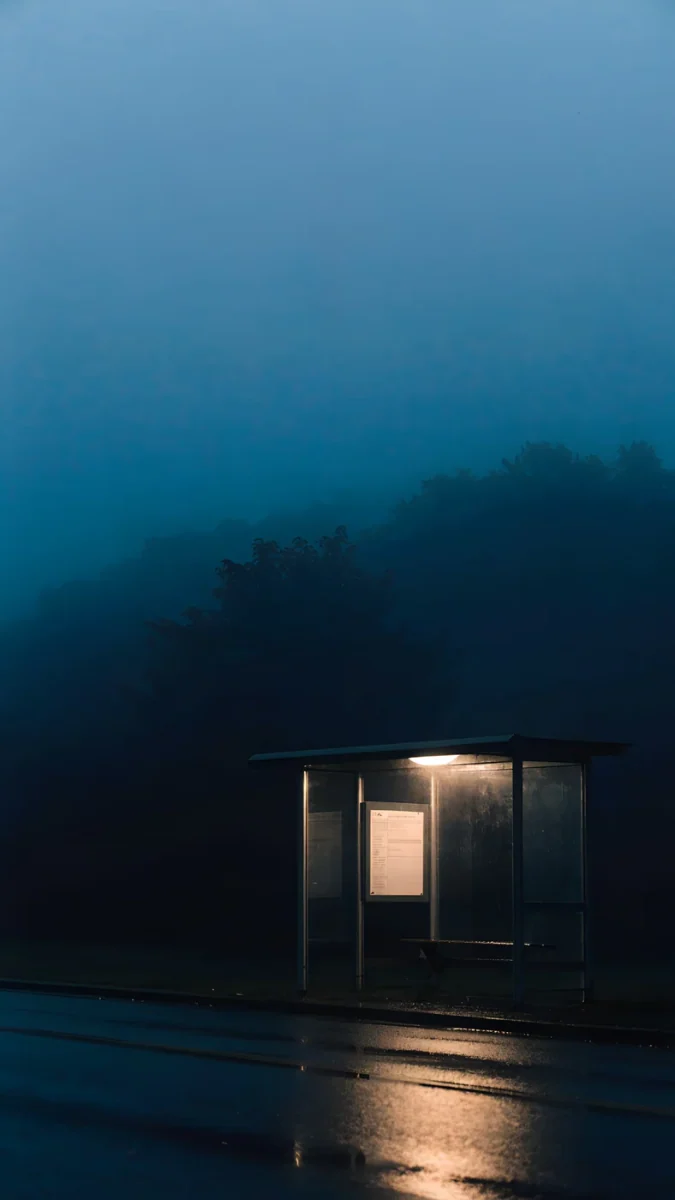
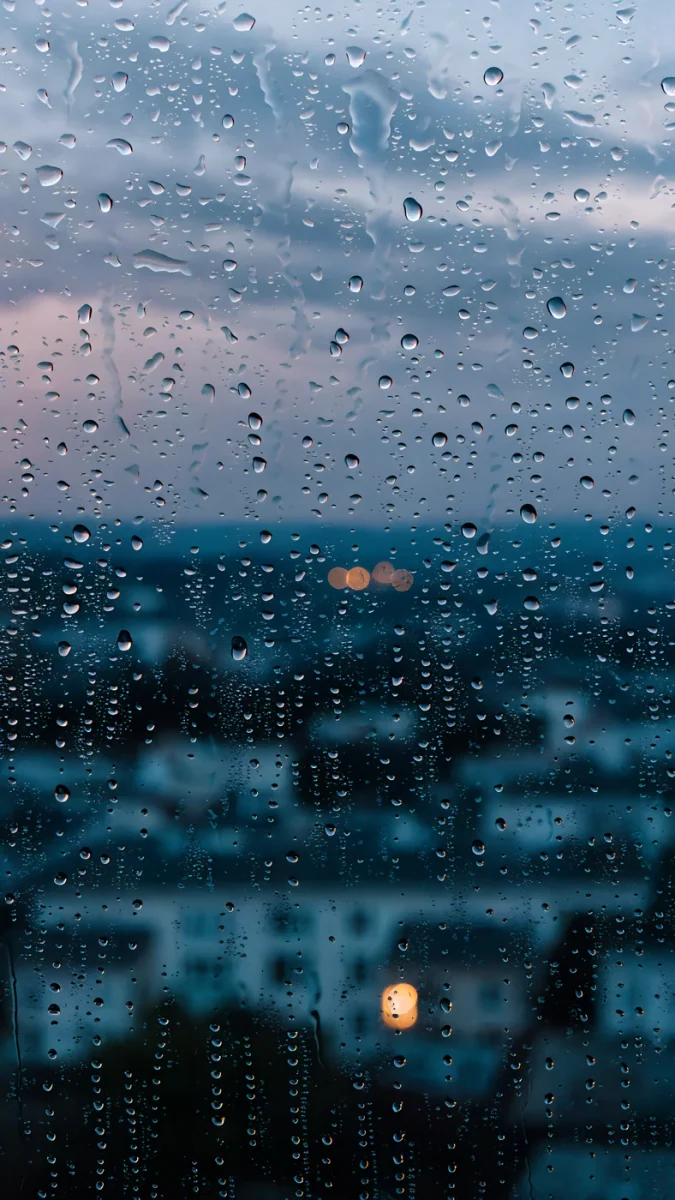
Deco Gold sets a full moon behind a stepped tower in a charcoal sky, with fog at the base. Fog Dawn is a cluster of gothic towers in gray mist with a faint pink sky. Last Stop is a lit bus shelter on a wet road at blue hour, the calmest scene here. Rain Kept looks through raindrops on glass at a blurred blue town with a few warm windows.
True black for OLED iPads
On an iPad Pro or the new iPad mini (A20 Pro), these keep most of the screen pure black with one light shape.
Black Liquid Fold rises from the bottom as a glossy black form with one soft highlight. Black Glass Sphere is a single black glass ball with a thin bright rim. Ink Moon Lantern draws a white moon and a hanging lantern in fine ink lines on black. On an LCD iPad these still work, but the black reads as dark gray.
Dark wide files for the keyboard case
In a keyboard case the iPad stays in landscape, so start from a 4K or 5K desktop file. These four download for free.
Light Slits4K · Desktop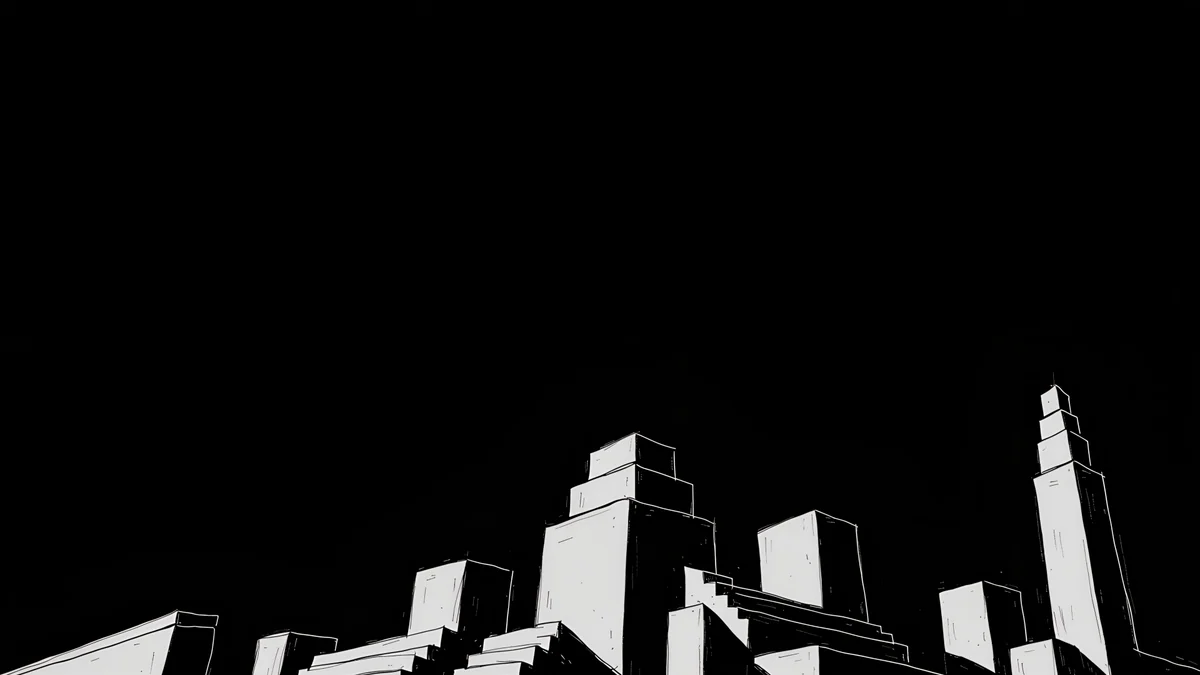 Night Blocks4K · Desktop
 Cobalt Soft Horizon4K · Desktop
 Petrol Current5K · Desktop
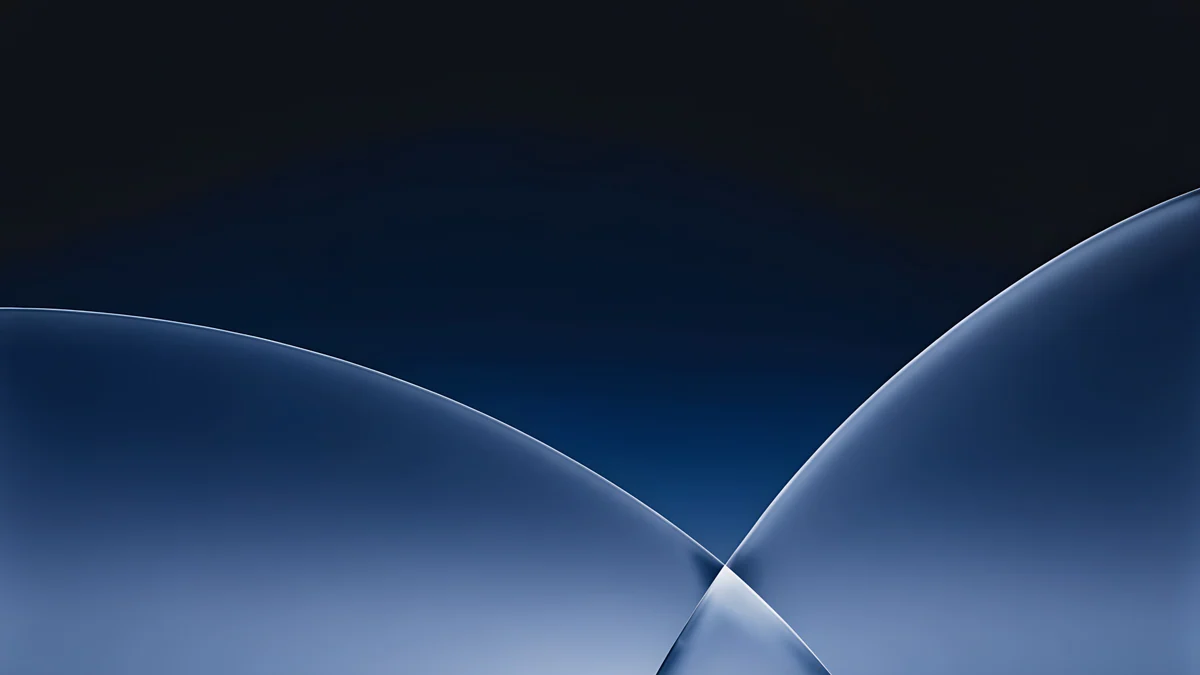
Light Slits lines a black city along the bottom with two lit towers in the center. Night Blocks stacks white outlined blocks along the lower edge of a black sky. Cobalt Soft Horizon crosses two blue glass curves under a near black top, the best of the four for LCD. Petrol Current is a 5K file of petrol blue dunes, dark at the edges and lighter in the middle.
Common problems and fixes
- The black looks gray. Your iPad has an LCD screen. Switch to a night blue or foggy pick, which hides the backlight glow.
- The wallpaper got darker by itself. Dark Appearance Dims Wallpaper is on and Dark Mode started. Turn the option off in the Wallpaper settings if your version shows it.
- It looks soft in the keyboard case. A phone file is being enlarged for landscape. Use one of the 4K or 5K wide files above.
- The shape is cut off after rotating. It sits outside the middle band. Pick a centered wallpaper or lock the rotation in Control Center.
- You want lighter options. Our iPad wallpaper collection covers every mood, and iPad mini wallpapers has calm picks for reading.
Get these dark iPad wallpapers in Velpaper
Velpaper is an app for iPhone, iPad, Mac and Android, and every wallpaper is also on velpaper.com. Phone wallpapers are 4K originals at 2160 × 3840, desktop wallpapers are 4K and some are 5K, all without a watermark and without an account. The desktop wallpapers in this article download for free. Phone wallpapers unlock after a short optional ad in the Velpaper apps; on the website, if no ad is available, the phone original downloads for free. The wallpapers are designed by Carlos Vivero.
Next step: open Indigo Passage, save the original, set it on your iPad and switch on Dark Mode to see them together.
Original wallpapers in 4K and 5K for iPhone, Android and desktop.
Questions
What is the best dark wallpaper for iPad?
It depends on the screen. The iPad Air, the 11 inch iPad (A16) and the iPad mini (A17 Pro) use LCD, where pure black glows slightly gray, so deep navy and night scenes such as Indigo Passage or Dusk Moon Sea look better. The iPad Pro with M4 or M5 and the iPad mini (A20 Pro) use OLED, where black pixels stay dark, so a black wallpaper such as Black Liquid Fold blends into the bezel. Keep the main shape in the middle so it survives rotation.
Does a black wallpaper save battery on iPad?
Only on OLED models, and only a little. On the iPad Pro with M4 or M5 and the iPad mini (A20 Pro), a black pixel uses very little power, but the wallpaper is fully visible only on the Lock Screen and Home Screen, and Apple does not publish a figure. On the LCD iPads, including iPad Air and the 11 inch iPad, the backlight lights the whole panel whatever the colour, so a black wallpaper saves nothing meaningful. Choose dark wallpapers for the look, not the battery.
How do I turn on Dark Mode on iPad?
Open Settings, then Display & Brightness, and choose Dark. To switch automatically, turn on Automatic and set it to sunset to sunrise or a custom schedule. You can also add a Dark Mode button to Control Center. In the Wallpaper settings, some versions show Dark Appearance Dims Wallpaper, which darkens a bright picture when Dark Mode is on. With a wallpaper that is already dark, you can leave it off. Menu names follow iPadOS 26 and can differ slightly in later versions.
Why does my black iPad wallpaper look gray?
Most likely your iPad has an LCD screen. The iPad Air, the 11 inch iPad (A16) and the iPad mini (A17 Pro) all use LED backlit LCD panels, where the backlight shines through even the darkest pixels, so black reads as dark gray. It is not a problem with the file. A night scene with some blue, such as Tokyo Tower Night, hides the effect. If you also saved a compressed preview, download the original again from the wallpaper page.
Are these dark iPad wallpapers free?
Browsing and previewing are free on velpaper.com and in the Velpaper apps for iPhone, iPad, Mac and Android. The desktop wallpapers in this article, such as Light Slits, Cobalt Soft Horizon and the 5K Petrol Current, download for free. Phone wallpapers unlock after a short optional ad in the Velpaper apps; on the website, if no ad is available, the phone original downloads for free. There is no account and no subscription, and the downloaded file has no watermark.
Carlos Vivero
Designer of Velpaper wallpapers
Carlos Vivero designs the wallpapers in Velpaper: quiet architecture, liquid glass, Japanese ink and calm landscapes. Every piece is made as a 4K original for iPhone, Android and desktop.
Recent work








