Desert and Dune Wallpapers in 4K for iPhone and Android
What makes a desert or sand dune wallpaper look good on a phone, how to set it on iPhone and Android, and the warm sand 4K wallpapers to pick in Velpaper.
In short: A good dune wallpaper uses low sun, so the crests cast long shadows, and keeps the sky in the top third for the clock. In Velpaper, Rose Dunes is the true sand dune wallpaper; Dunes and Sun, Stepped Ziggurat and Pyramid of Light carry the same warm desert light.
By the Velpaper team · Wallpapers by Carlos Vivero, Velpaper designer · · 6 min read
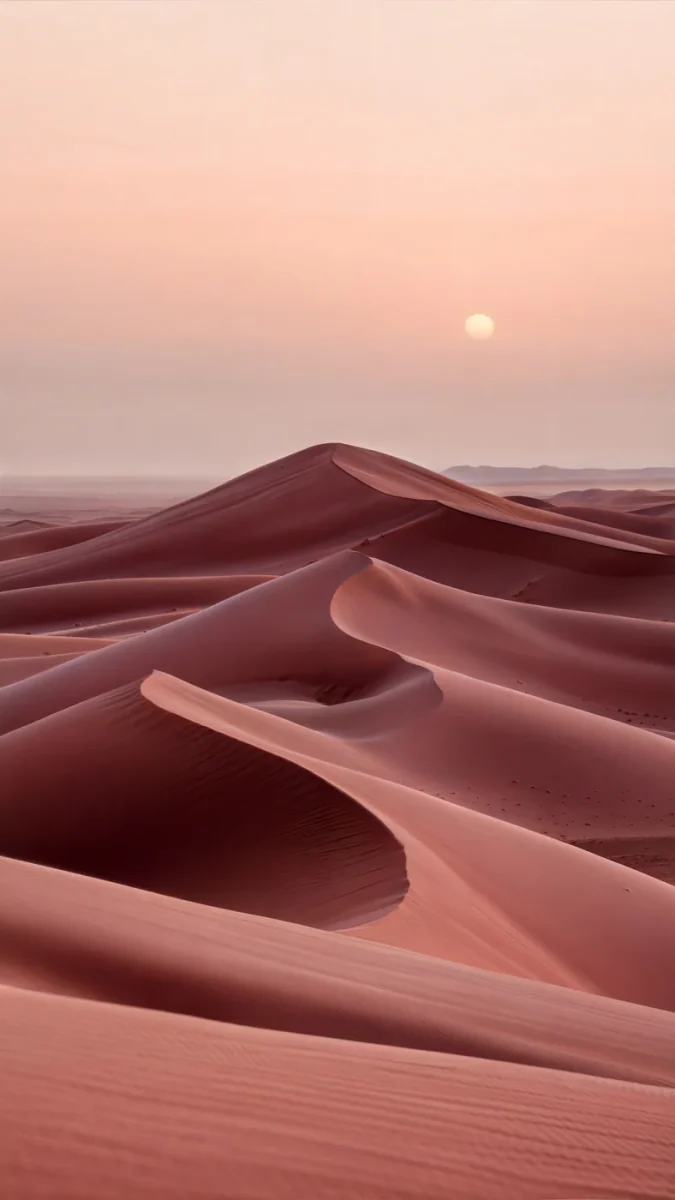 Rose Dunes
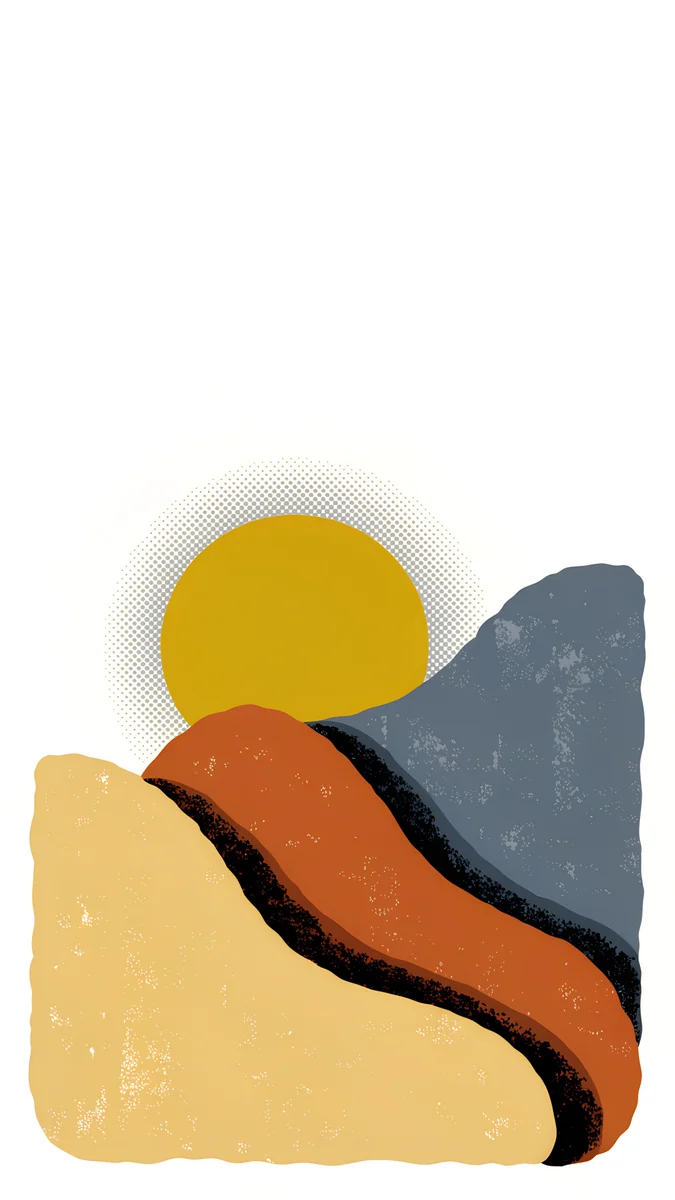 Dunes and Sun
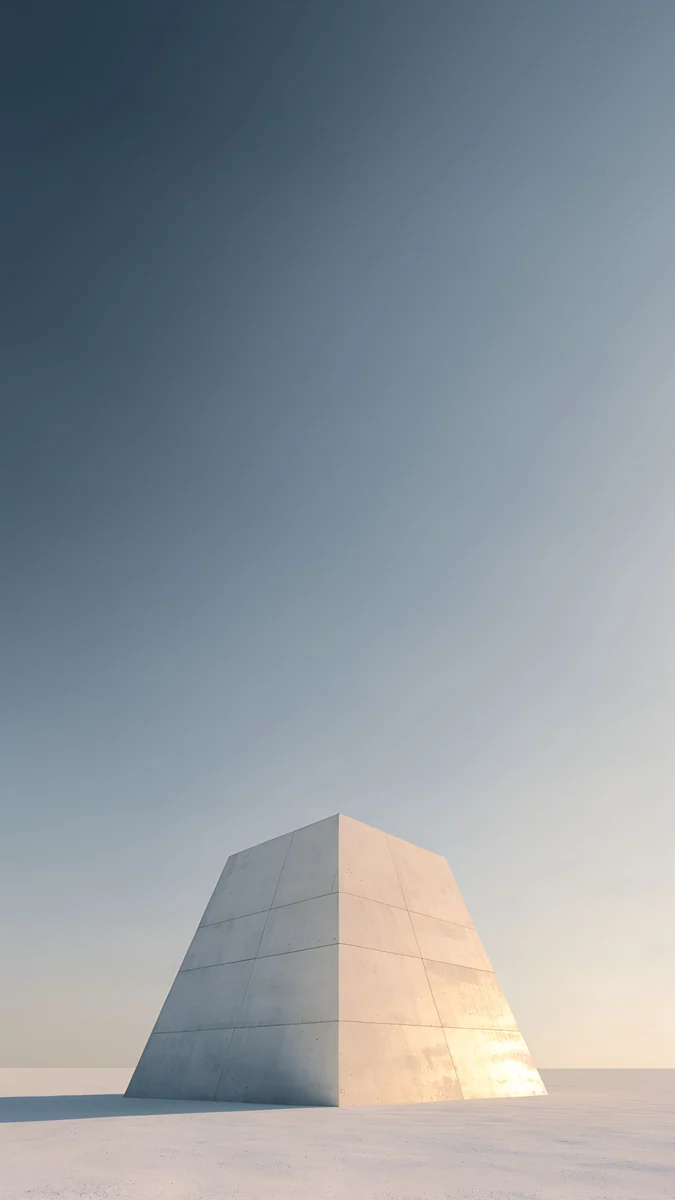 Pyramid of Light
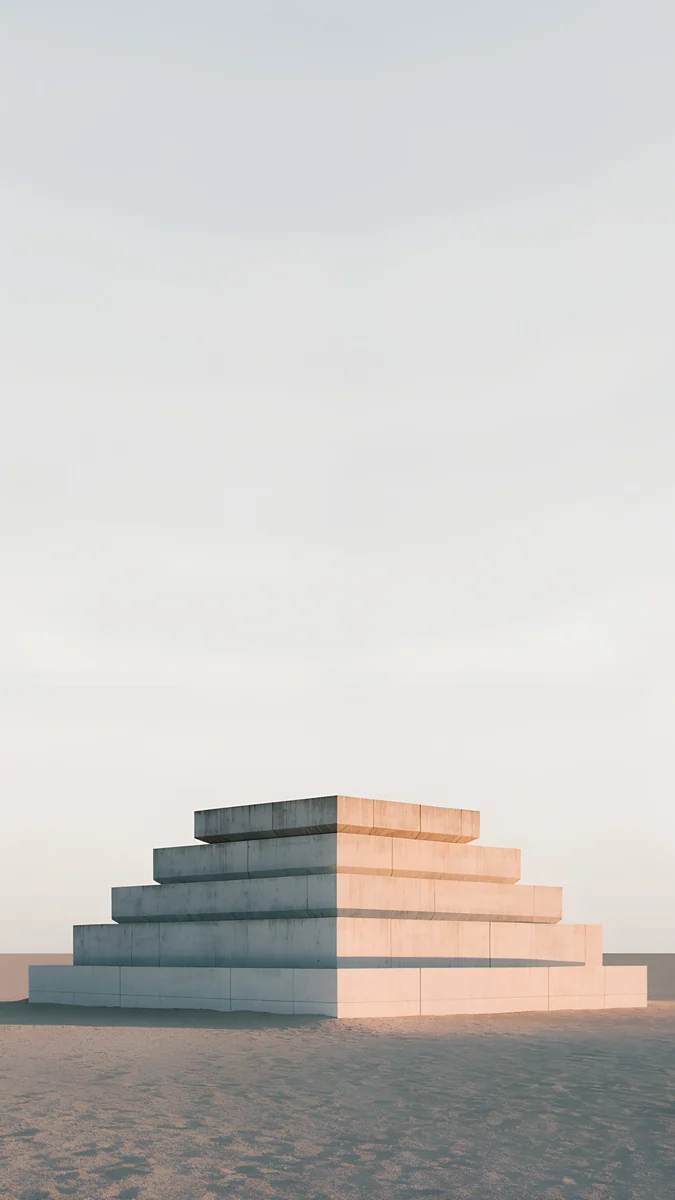 Stepped Ziggurat
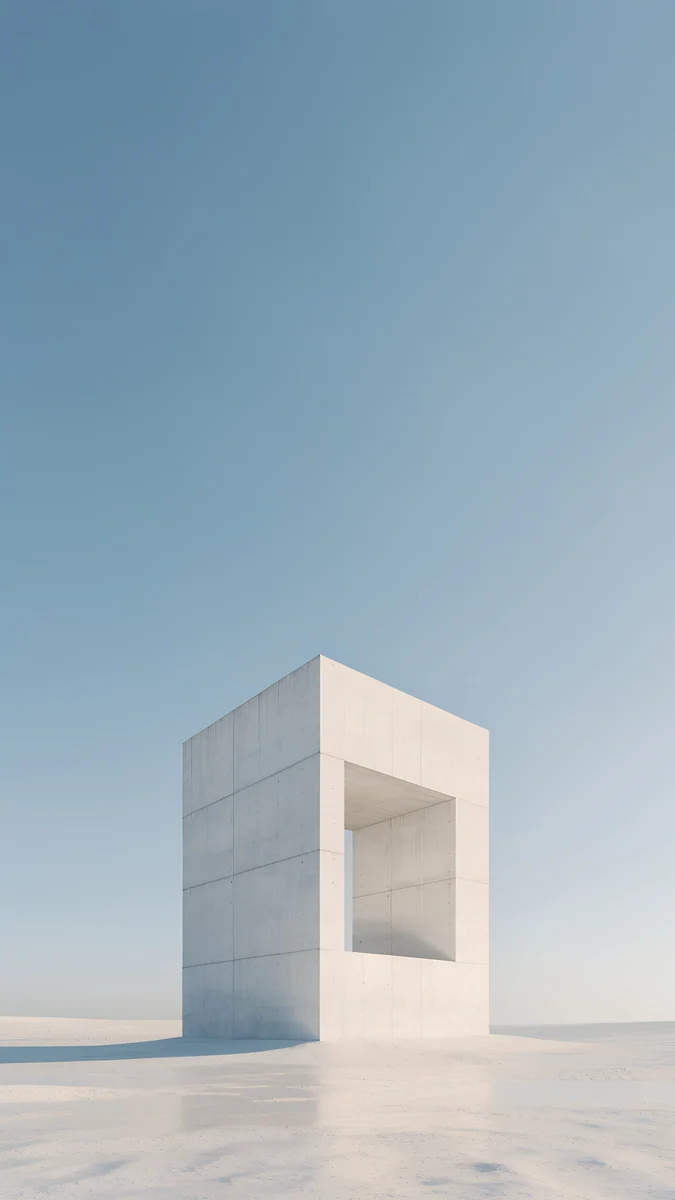 Monolith on the Plain
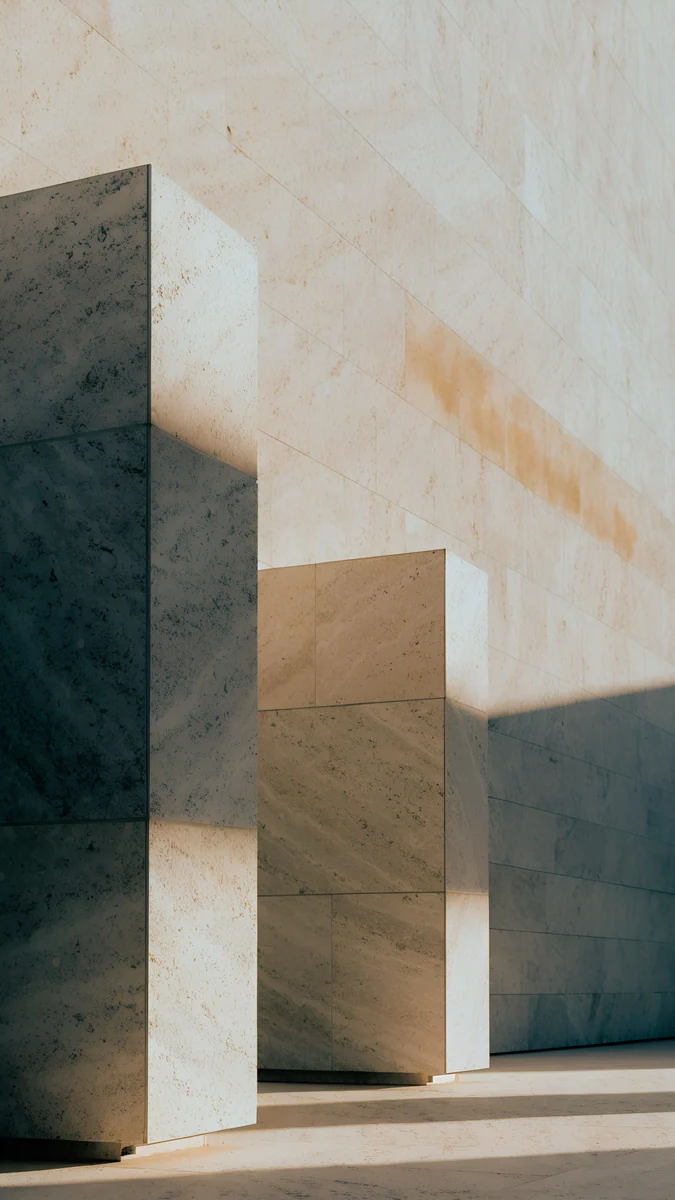 Honey Shadow
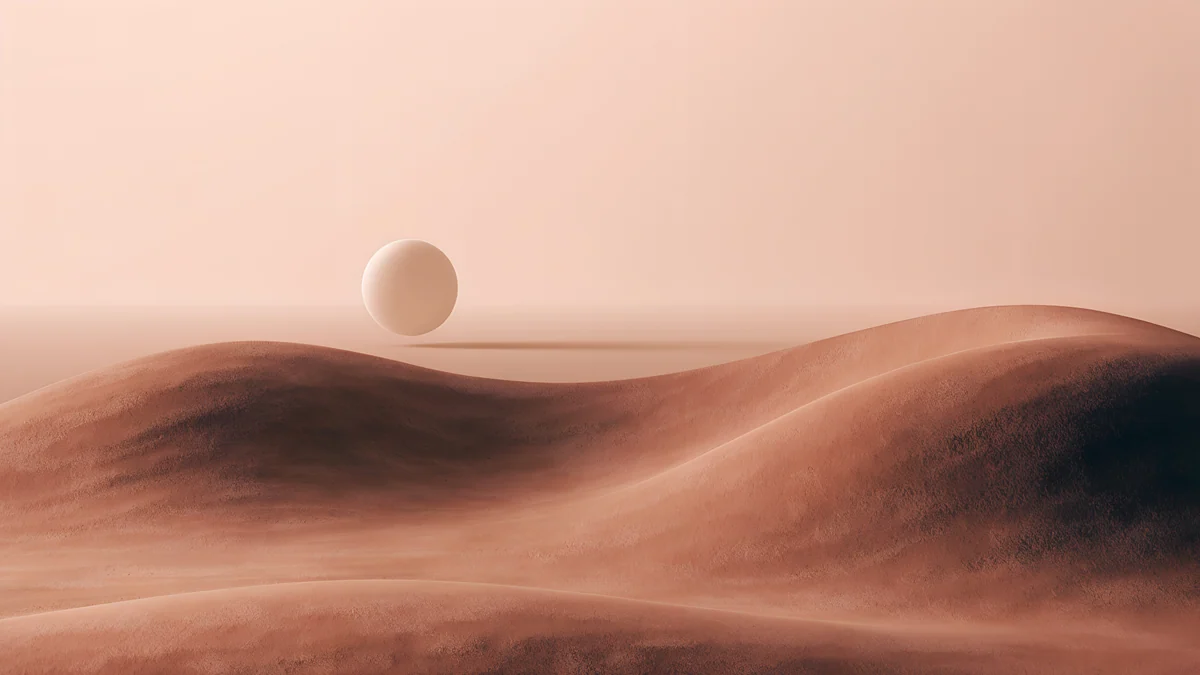 Soft Orbit
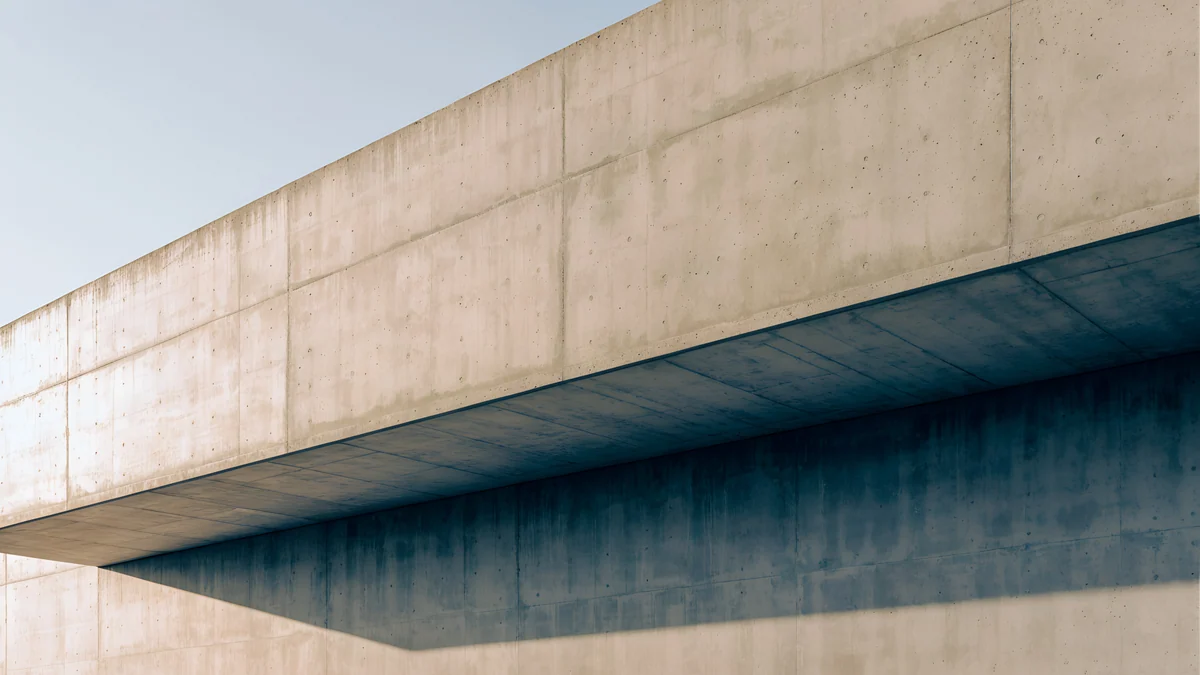 Sand Cantilever
 Petrol Current
Free 4K originals for iPhone and Android, no watermark
On this page
The best desert or dune wallpaper for a phone is lit by a low sun, so every crest throws a long shadow, and it keeps plain sky in the top third where the clock goes. Velpaper does not have a separate desert collection, but it does have one real dune wallpaper, Rose Dunes, and several pieces in the same warm sand light: an illustrated dune landscape, stone structures alone on empty plains and travertine in honey sunlight. All of them are 4K originals at 2160 by 3840 pixels.
What makes a dune wallpaper work on a phone
Desert pictures look simple, which is why they suit a lock screen. They still go wrong in a few ways: flat midday light, a clock that blends into pale sky, or a long panorama cropped into a tall phone frame.
- Low sun, long shadows. Dunes only read as shapes when one side is lit and the other is in shade. Early morning and late afternoon light gives them that edge; at noon they turn into a flat beige field.
- Diagonal crests. A ridge that runs from one corner toward the middle leads the eye down the screen and away from the clock. Horizontal stripes of sand look like a blank band behind the widgets.
- Sky on top, sand below. Pale sky in the top third gives the time a calm surface. Pale skies need a dark clock: deep brown, terracotta or black.
- Not an OLED saver. Sand and sky are bright, so nearly every pixel is lit. On an OLED screen a desert wallpaper costs more power than a night scene; pick a dusk image if battery matters.
- Something for depth. On iPhone, the depth effect needs a subject that iOS can separate. A pyramid, a stone block or a high crest rising into the lower edge of the clock works better than an empty horizon.
How to set a desert wallpaper on iPhone and Android
- Open the wallpaper on velpaper.com or in the Velpaper app and save the 2160 by 3840 original, not a screenshot of the preview.
- On iPhone with iOS 26: open Settings, tap Wallpaper, then Add New Wallpaper, then Photos, and pick the file.
- Pinch and drag so the horizon sits below the clock and the crests run through the lower half. Move the picture rather than enlarging it.
- Tap the time and pick the clock colour by hand: a dark brown or terracotta on pale skies, white on dusk ones. If a structure or crest reaches the clock, tap the More button (three dots) and try Depth Effect.
- Tap Add, then Set as Wallpaper Pair, or Customize Home Screen to blur the Home Screen.
- On a Pixel with Android 16: touch and hold an empty spot on the Home screen, tap Wallpaper & style, then Change wallpaper, choose your photo, then Preview and Apply. On a Samsung with One UI 8, the same option is in Settings, Wallpaper and style. Menu names can differ slightly by phone and version.
Apple's own steps are in Change your iPhone wallpaper. For screenshots of every step, see how to set a lock screen wallpaper on iPhone and how to change wallpaper on Android.
The best Velpaper wallpapers for a desert look
One true dune scene and five pieces that share its warm, empty light.
Rose Dunes4K · PhoneDunes and Sun4K · PhoneStepped Ziggurat4K · PhonePyramid of Light4K · PhoneMonolith on the Plain4K · PhoneHoney Shadow4K · PhoneRose Dunes is the real thing: a field of pink and terracotta dunes under a pale peach sky with a small low sun, the crests sweeping diagonally through the lower half and the top left to soft sky for a dark clock. Dunes and Sun is the illustrated version, a mustard sun over burnt orange and sand hills and a slate grey rock, all sitting low in a white frame, so a large black clock fits above it.
Stepped Ziggurat puts a warm sand stepped platform alone in an empty desert under a pale sky. Pyramid of Light lights a pale pyramid warm against a slate sky that darkens toward the top, the best pick here for a white clock. Monolith on the Plain keeps a single stone frame low on a pale plain under open blue sky, and Honey Shadow moves in close: travertine blocks in honey sunlight with cool shadows, the texture of desert stone rather than the view.
Desert wallpapers for a desktop
For a laptop or monitor, these wide originals keep the same sand and dune shapes. Desktop wallpapers are free.
Soft Orbit floats a pale sphere above rippling terracotta dunes in a pink haze, the most dreamlike desert here. Sand Cantilever is a concrete slab projecting into empty space, sand on top and khaki underneath. Petrol Current is the cool exception, a 5K field of petrol blue folds shaped like silk dunes. More warm neutrals are in our beige aesthetic wallpapers and orange aesthetic wallpapers.
Common problems with dune wallpapers and how to fix them
- The clock disappears into the sky. iOS often picks a pale or mid tone that matches the sand. Tap the time in the editor and choose a dark brown, terracotta or black by hand. See how to choose a wallpaper that keeps the clock readable.
- The dunes look flat. The image was shot or generated in midday light, or it has been brightened. Choose one with visible shadow on one side of each crest, such as Rose Dunes.
- The sky shows bands. Smooth peach and blue skies break into steps when the file is compressed. Download the full original instead of saving a preview.
- The wallpaper is zoomed in or the sun is cut off. Wide desert photos lose their edges in a tall frame, and iOS adds a little zoom for Perspective Zoom. Use a portrait original and see our fix for an iPhone wallpaper that is zoomed in or an Android wallpaper that zooms.
- Depth Effect is grey. An empty horizon has no subject. Pick a wallpaper with a structure, such as Pyramid of Light or Stepped Ziggurat, and remove widgets under the clock.
Get these desert wallpapers in Velpaper
Every wallpaper on this page is a 4K original by designer Carlos Vivero, with no text or watermark, in the Velpaper apps for iPhone, iPad, Mac and Android and on velpaper.com; the desktop ones are 4K and Petrol Current is 5K. Browsing is free and there is no account. Most phone wallpapers unlock after a short optional ad in the app; on the website, if no ad is available, the original downloads for free.
Next step: open Rose Dunes, save the 4K original and set it as your lock screen with a dark brown clock. For a bolder, graphic look, take Dunes and Sun.
Original wallpapers in 4K and 5K for iPhone, Android and desktop.
Questions
Does Velpaper have desert or sand dune wallpapers?
It has one true sand dune wallpaper and several in the same desert mood, but no separate desert collection. Rose Dunes is a photo-style field of pink and terracotta dunes under a pale peach sky. Dunes and Sun is an illustrated dune landscape in mustard, burnt orange and sand. Stepped Ziggurat, Pyramid of Light and Monolith on the Plain place single stone structures on empty plains in warm light, and Honey Shadow shows travertine in honey sunlight. For a desktop, Soft Orbit sets a pale sphere above terracotta dunes. Phone wallpapers are 4K originals at 2160 by 3840 pixels.
What clock colour works on a desert wallpaper?
On pale sand and peach skies, a dark clock reads best: deep brown, terracotta or black. iOS often suggests a pale or mid tone taken from the sand, which blends into the sky, so pick the colour by hand. On iPhone, touch and hold the Lock Screen, tap Customize, then tap the time. On darker pieces such as Pyramid of Light, where the sky turns slate toward the top, a white clock works better. Dunes and Sun has a large plain white area above the illustration, which suits a big black clock in a bold font.
Why do some dune wallpapers look flat on my phone?
Dunes get their shape from light and shadow. When a picture is taken in midday sun, or brightened afterwards, both sides of each crest are lit equally and the sand turns into a flat beige surface. On a small screen this is even more obvious. Look for images with low, warm light from one side, where every ridge has a dark edge, as in Rose Dunes. Diagonal crests also help, because they give the eye a path down the screen. A flat wallpaper is not a problem behind apps, but on the lock screen it looks unfinished.
Are desert wallpapers good for OLED screens?
Not for saving battery. OLED pixels make their own light, and a desert wallpaper lights almost all of them with bright sand and sky, so it uses more power than a dark night scene while it is visible. The difference is small in daily use, because the wallpaper is covered by apps most of the time. If you want the desert mood on a darker screen, choose a dusk image or a piece with a darker sky, such as Pyramid of Light. Warm colours do look rich on OLED, so the choice is mostly about taste and how bright you keep your screen.
How do I stop a dune wallpaper from being cropped on my phone?
Use a portrait original made for phones. Many desert photos online are wide panoramas, and a tall phone screen keeps only a narrow slice from the middle, often cutting off the sun or the best crest. Velpaper phone wallpapers are composed at 2160 by 3840 pixels, the 9:16 shape of a phone. When you set it, move the picture rather than enlarging it. On iPhone, Perspective Zoom adds a small zoom; on Android, some launchers crop for parallax. If the picture still looks too close, our zoom fix guides for iPhone and Android walk through the settings.
Carlos Vivero
Designer of Velpaper wallpapers
Carlos Vivero designs the wallpapers in Velpaper: quiet architecture, liquid glass, Japanese ink and calm landscapes. Every piece is made as a 4K original for iPhone, Android and desktop.
Recent work








