Telegram Chat Wallpaper: How to Change It on Any Device
Telegram chat wallpaper step by step on iPhone, Android and desktop: change it for all chats or just one, and pick photos that keep message bubbles readable.
In short: To change your Telegram chat wallpaper, open Settings, then Appearance on iPhone or Chat Settings on Android and desktop, tap Chat Wallpaper and pick a colour, a pattern or your own photo. For one chat only, open that chat's menu and choose Set Wallpaper.
By the Velpaper team · Wallpapers by Carlos Vivero, Velpaper designer · · Updated · 5 min read






Free 4K originals for iPhone and Android, no watermark
On this page
A Telegram chat wallpaper is the picture behind your messages, and Telegram lets you change it in a few taps: for every chat at once, or for a single conversation. You can use one of Telegram's own colours and patterns, or any photo from your gallery.
Below are the steps for iPhone, Android and Telegram Desktop, how per-chat wallpapers work, and what kind of image keeps message bubbles easy to read. Telegram renames menus now and then, so if a label differs slightly on your version, look for the word "wallpaper" or "background" in the same place.
How to change the Telegram chat wallpaper on iPhone
- Open Telegram and tap Settings in the bottom bar.
- Go to Appearance, then Chat Wallpaper. On older versions the same screen was called Chat Background.
- Pick one of Telegram's colours, gradients or patterns, or tap the option to choose a picture from Photos.
- In the preview, move and zoom the image until the part you want sits behind the messages.
- Tap Set.
The preview has two switches worth trying. Blurred softens the photo, which helps a lot when the picture has fine detail. Motion adds a slight parallax that shifts the wallpaper as you tilt the phone. Motion zooms the image a little to make room for the movement, so a high resolution original stays sharper.
How to change it on Android
- Tap Settings. In most versions it sits in the menu behind the three lines at the top left.
- Open Chat Settings and tap Change Chat Wallpaper. Some versions shorten it to Chat Wallpaper.
- Choose a built-in colour or pattern, or tap Select from Gallery to use your own image.
- Adjust the crop, switch Blurred or Motion on if you like, and tap Set.
If you want the same picture on your home screen too, our guide on how to set a wallpaper on Android covers the system side.
Set a different wallpaper for one chat
Since 2023 Telegram can give a single conversation its own background, which is handy for telling a work group from a family chat at a glance.
- Open the chat.
- On iPhone, tap the name at the top and then the More button. On Android, tap the three dots at the top right.
- Choose Set Wallpaper (on some versions Change Wallpaper) and pick a photo or a preset.
In a private chat Telegram may offer to apply the wallpaper for the other person as well. That option can require Telegram Premium, so do not be surprised if it shows a lock. To go back to your general wallpaper, open the same menu and remove the chat's own background.
WhatsApp has a very similar per-chat option; the steps are in our guide to changing your WhatsApp wallpaper.
Telegram Desktop on Windows, Mac and Linux
In Telegram Desktop open Settings, then Chat Settings. Under the chat background section you can choose from Telegram's gallery or load an image from a file on your computer. A Tile background option repeats a small image like wallpaper on a wall; leave it off for a photo, so the picture is stretched to fill the window instead.
On a Mac there are two Telegram apps, Telegram Desktop and the native Telegram for macOS. In the native app the wallpaper setting sits under Appearance rather than Chat Settings. Desktop windows are wide, so a landscape image such as a 3840 × 2160 file fills them better than a phone picture, which Telegram has to crop heavily.
What makes a good chat wallpaper
A chat wallpaper works differently from a lock screen. Messages cover the whole height of the screen, so there is no safe empty area to leave for the subject. The picture should look good everywhere and fight with nothing.
Low contrast. Bubbles are mostly solid, but their edges and the small date and name labels sit right on the picture. Soft gradients and quiet textures keep those readable.
No hard subject in the middle. A face or a building in the centre will be hidden behind messages most of the time. Water, fog, sand and abstract light look fine from any angle.
Match the theme. A pale image suits the light theme with white bubbles, a dark one suits the night theme.
Tidal Quiet is teal water over pale sand and is free to download. Champagne Veil is warm cream with almost no contrast, the easiest background for a light theme. Celadon Haze and Lilac Hush are slow grainy gradients that look the same behind three messages or thirty.
For night mode, darker pieces keep the screen calm:
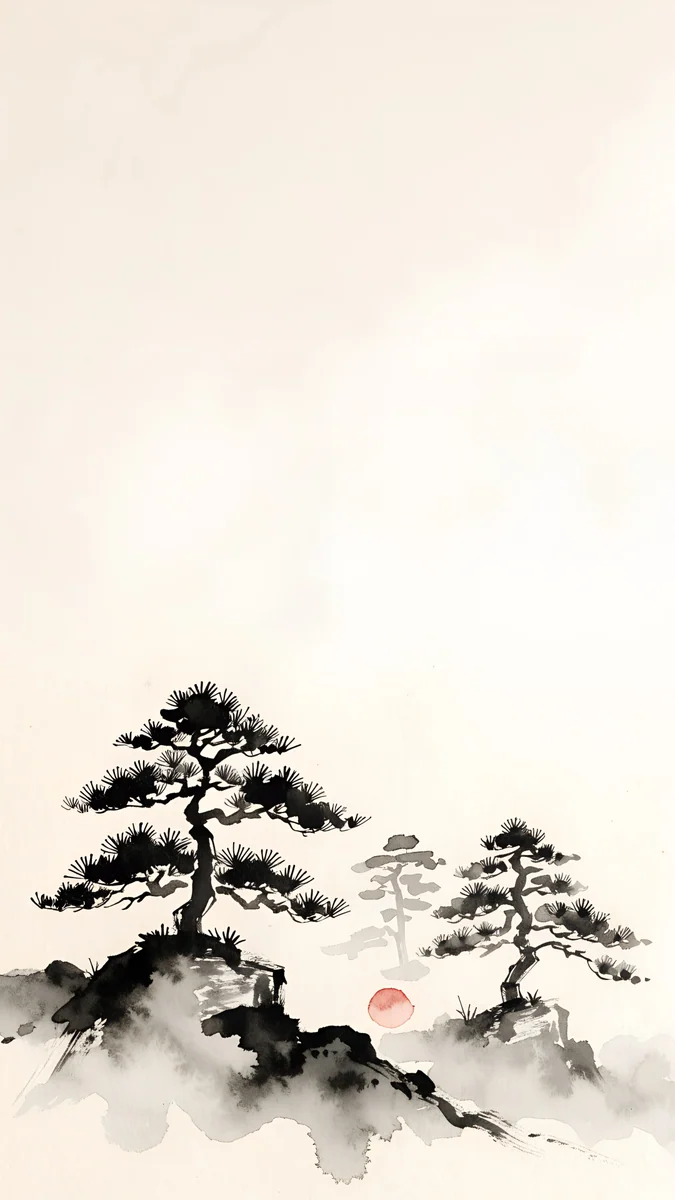
Midnight Flow is navy and muted violet waves, Moon Silver is nearly black with silver light, and Mist Pines is an ink wash with fog at the top if you want a light picture with a Japanese feel. More near-black options are in our collection of dark wallpapers for OLED.
Dark mode, file size and sharpness
Telegram keeps the wallpaper together with the theme. If you switch between day and night themes and your photo disappears, open Chat Wallpaper while the night theme is on and set it again. In the night theme Telegram may also offer a slider to dim a bright photo, which keeps white text easy to read.
Telegram does not publish an official wallpaper size. It scales your image to the screen, so the rule is the same as for any phone wallpaper: start from a file at least as large as your display. A 2160 × 3840 phone original covers every current iPhone and Android phone, and the exact screen sizes are in our iPhone wallpaper size guide.
Two habits ruin sharpness. The first is using a screenshot, which has no spare pixels for Motion or cropping. The second is a picture someone sent you as a photo in a chat: Telegram compresses photos to save data. Ask for it as a file instead, or download the original yourself.
Every Velpaper phone wallpaper is a 2160 × 3840 JPEG without a watermark, from the iPhone and Android apps or from velpaper.com. Browsing is free, some phone wallpapers unlock after a short optional ad, and there is no account. Save the file to your gallery, then pick it in Telegram as described above.
Original wallpapers in 4K and 5K for iPhone, Android and desktop.
Questions
How do I change the background in Telegram?
Open Telegram and go to Settings. On iPhone tap Appearance, on Android and Telegram Desktop tap Chat Settings, then open Chat Wallpaper. You can pick one of Telegram's colours, gradients or patterns, or choose a photo from your gallery or computer. Adjust the crop in the preview, switch Blurred or Motion on if you want, and tap Set. The new background applies to all chats that do not have their own wallpaper.
Can I set a different wallpaper for each Telegram chat?
Yes. Open the chat, then open its menu: on iPhone tap the name at the top and then More, on Android tap the three dots. Choose Set Wallpaper and pick a photo or a preset. That chat keeps its own background while the rest use your general wallpaper. In private chats Telegram may offer to apply the wallpaper for the other person too, an option that can require Telegram Premium.
What size should a Telegram wallpaper be?
Telegram has no official wallpaper size. It scales your image to fit the screen, so use a picture at least as large as your display. For phones, a 2160 × 3840 pixel image covers every current iPhone and Android model with room for cropping and the Motion effect. For Telegram Desktop on a large monitor, use a landscape file such as 3840 × 2160 so the window is filled without stretching.
Why did my Telegram wallpaper disappear in dark mode?
Telegram stores the wallpaper together with the theme. When you switch from the day theme to the night theme, or the app follows your phone into dark mode, it can show the night theme's default background instead of your photo. Open Chat Wallpaper while the night theme is active and set your image again. If the photo looks too bright at night, use the dimming option in the preview where your version offers it.
Why does my Telegram wallpaper look blurry?
Usually the source file is too small. Screenshots and images received as photos in a chat are compressed and have no spare pixels, so the Motion effect and cropping enlarge them and edges go soft. Use the original file instead, at least as large as your screen. Also check that the Blurred switch in the wallpaper preview is off, since it softens the picture on purpose.
Carlos Vivero
Designer of Velpaper wallpapers
Carlos Vivero designs the wallpapers in Velpaper: quiet architecture, liquid glass, Japanese ink and calm landscapes. Every piece is made as a 4K original for iPhone, Android and desktop.
Recent work








