Fall Wallpaper: Free Aesthetic Autumn Picks in 4K (2026)
Free fall wallpapers for iPhone and Android: terracotta stairs, amber colonnades and maple shadows. 4K originals, no watermark, one tap to download.
In short: The best fall wallpaper for a phone is warm and quiet: low autumn sun on terracotta or sandstone, a few amber leaves, and open sky above for the clock. Velpaper's new fall set has five of these scenes as 4K originals (2160 × 3840) for iPhone and Android, starting with Terracotta Leaves.
By the Velpaper team · Wallpapers by Carlos Vivero, Velpaper designer · · Updated · 6 min read
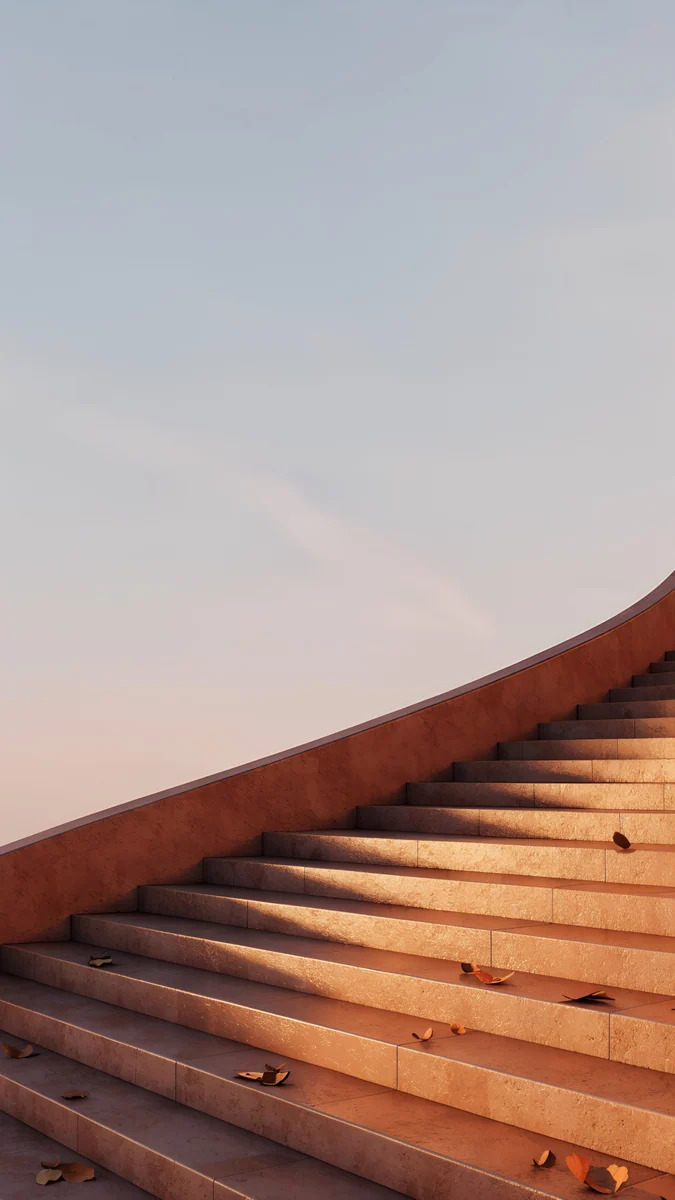 Terracotta Leaves
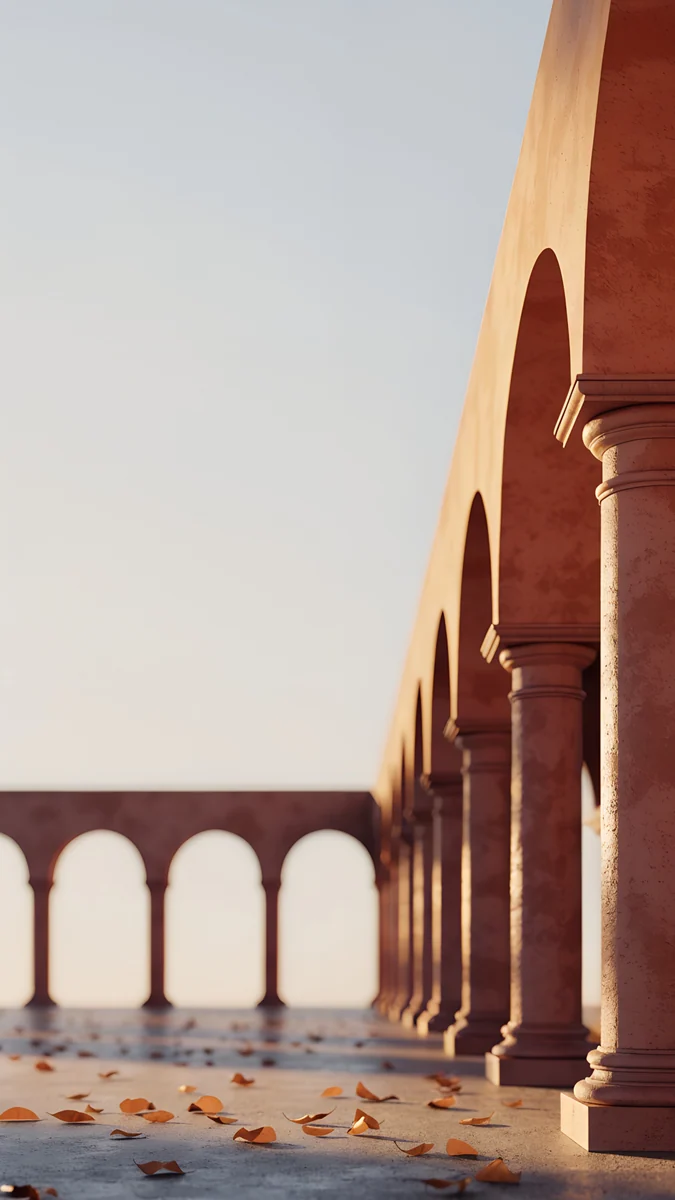 Amber Colonnade
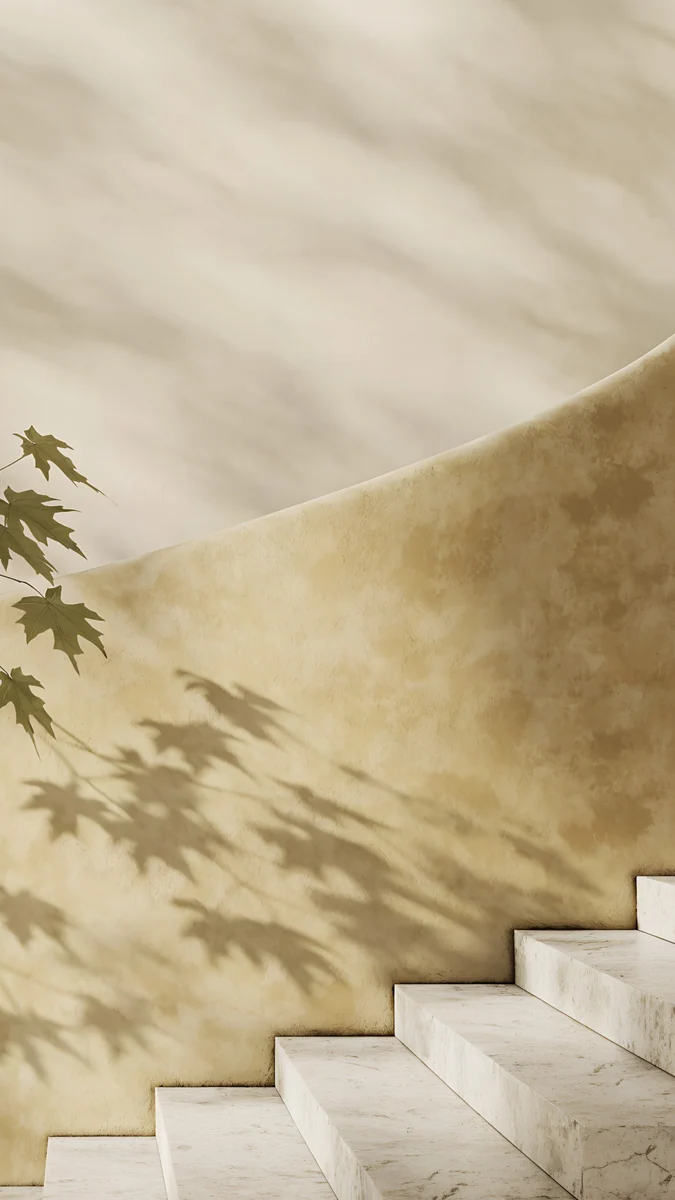 Maple Shadow Wall
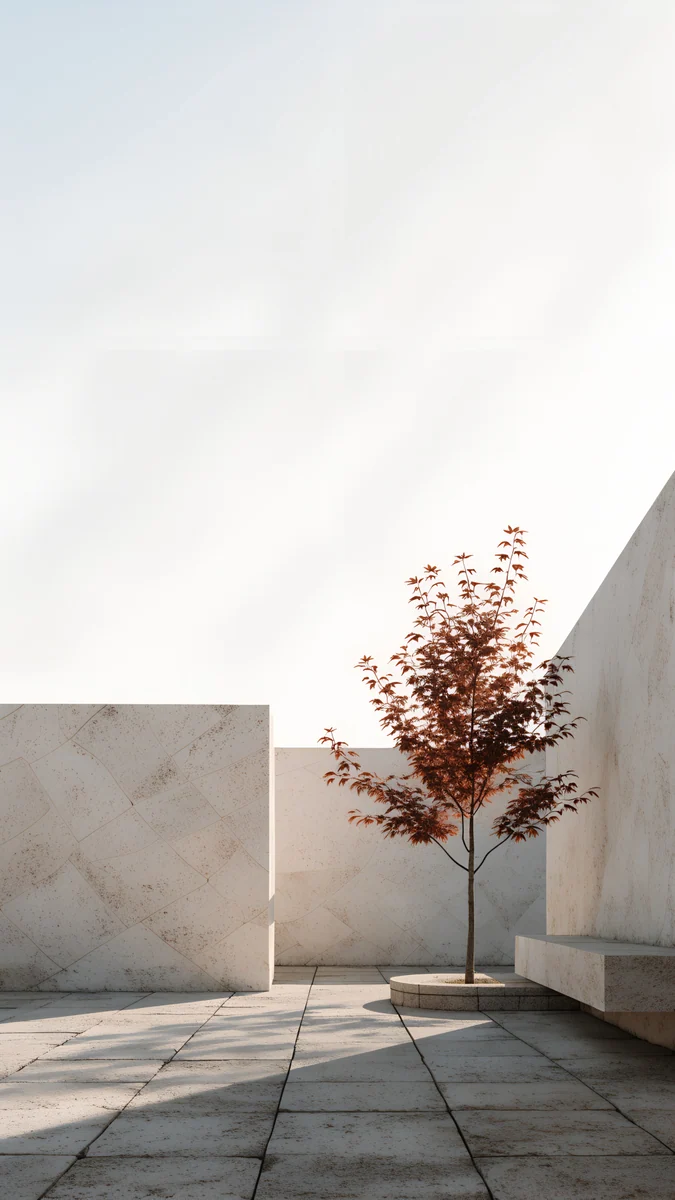 Courtyard Maple
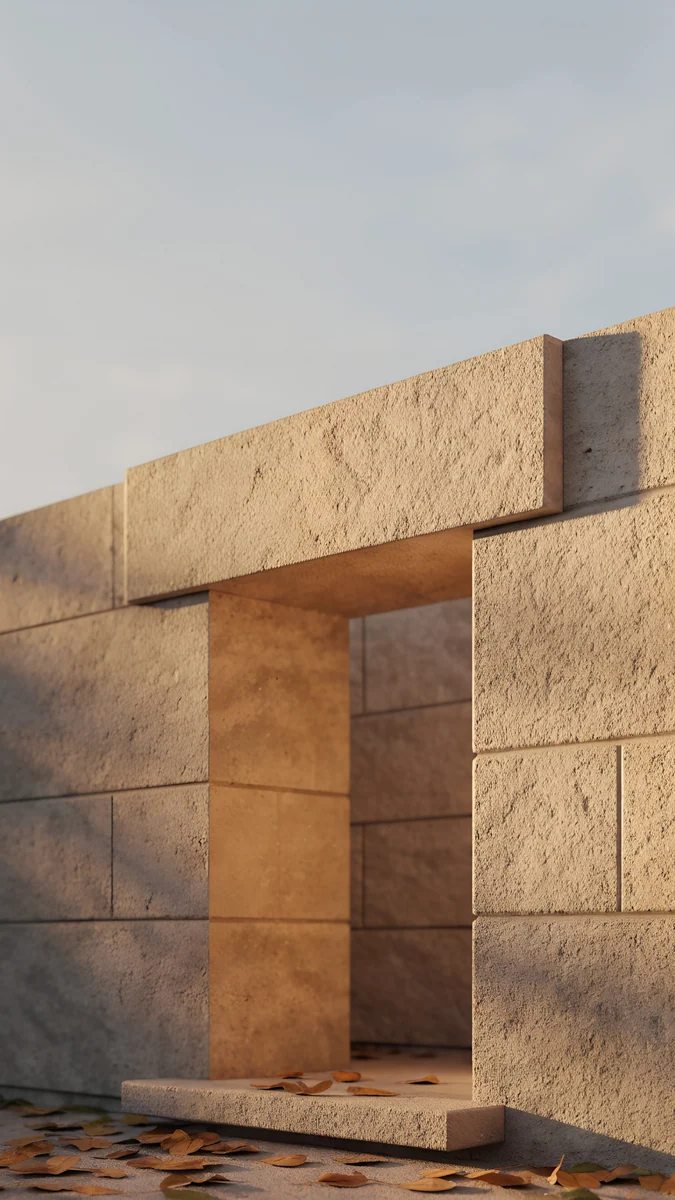 Sandstone Threshold
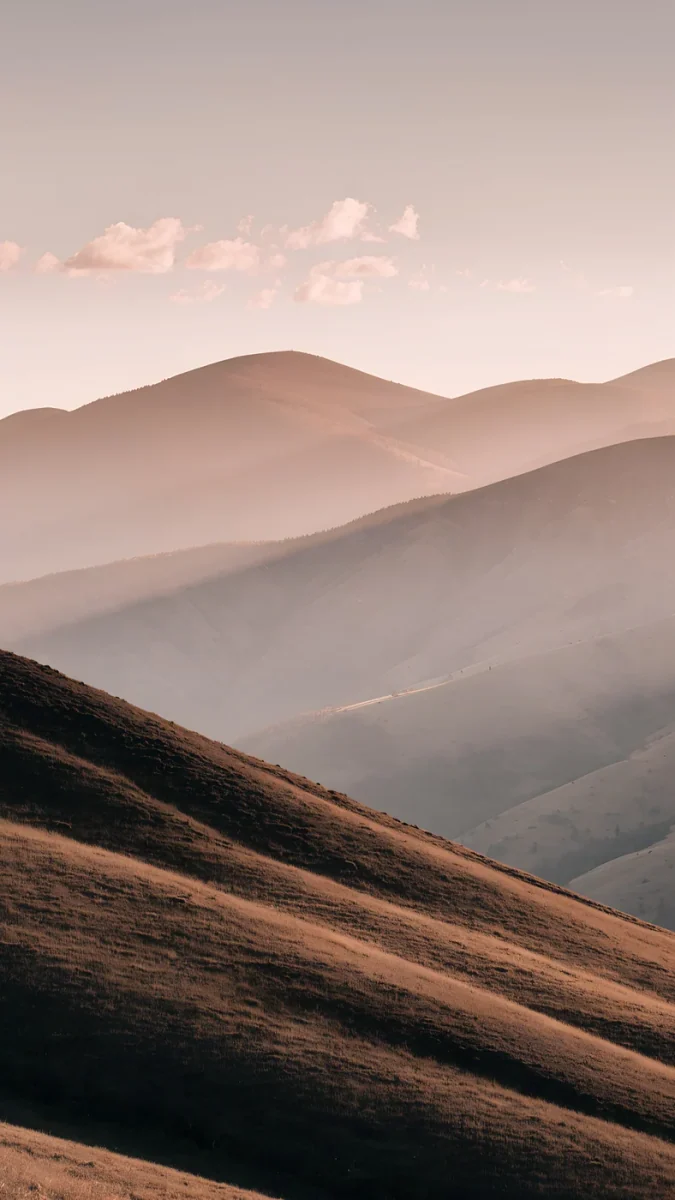 Amber Highlands
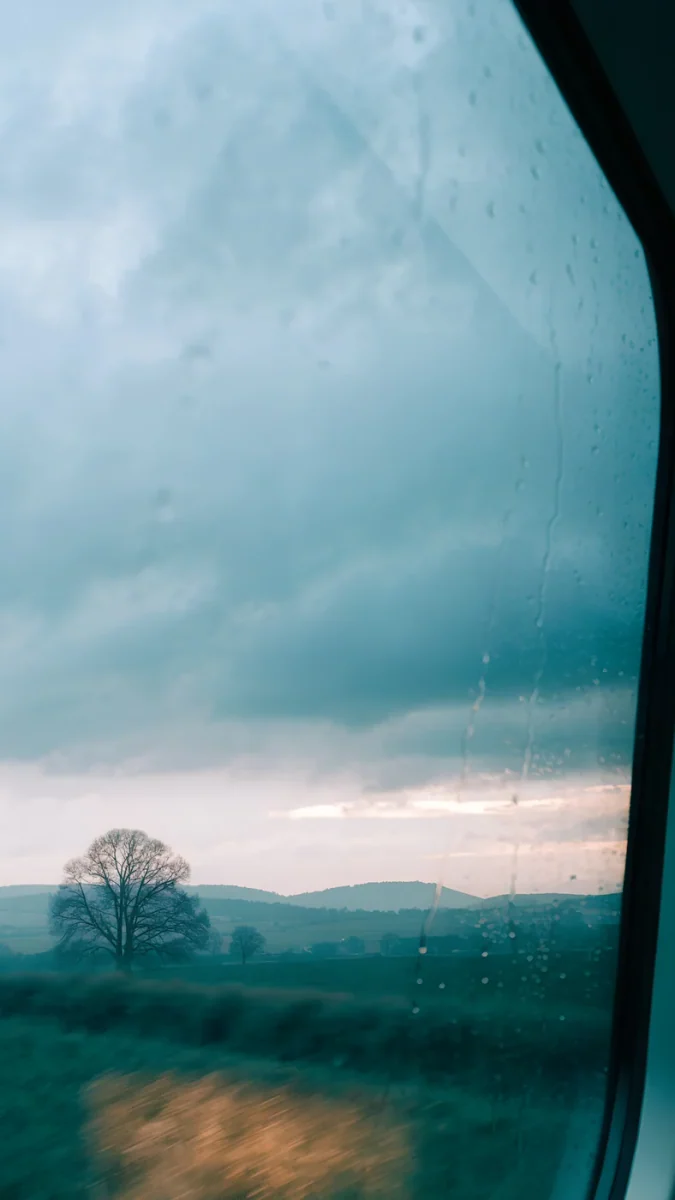 November Window
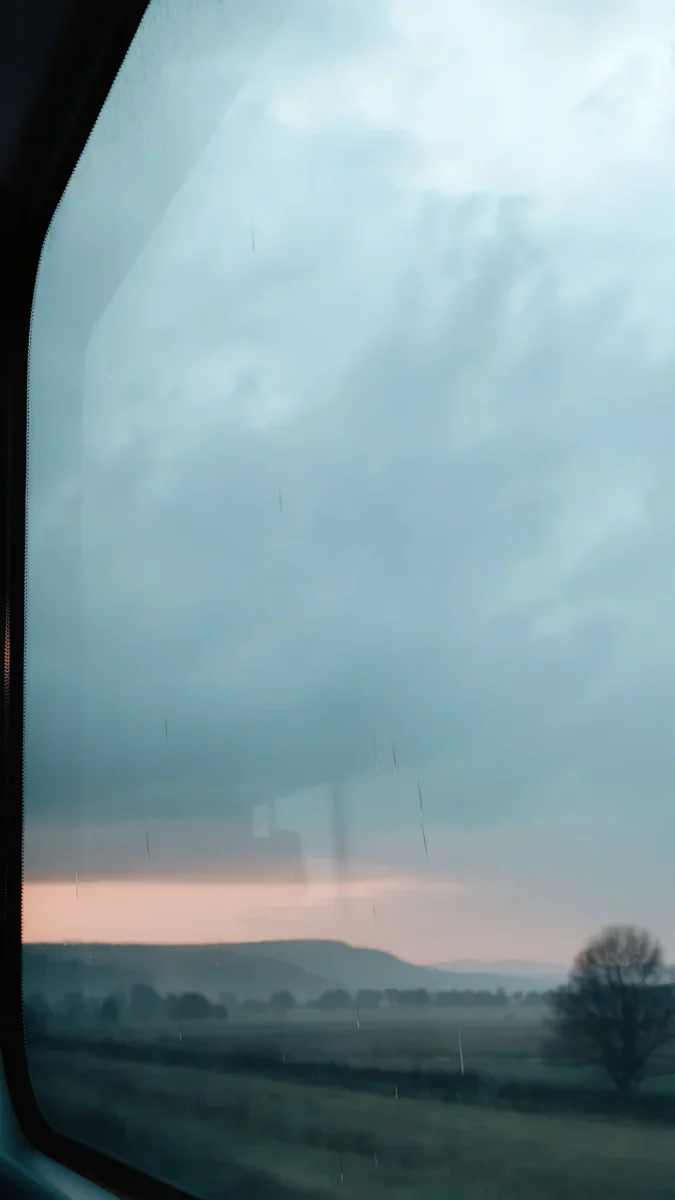 Passing November
Free 4K originals for iPhone and Android, no watermark
On this page
The best fall wallpaper for a phone is warm and quiet: low autumn sun on terracotta or sandstone, a few amber leaves on the steps, and enough pale sky above to keep the clock readable. That is what this new Velpaper set is. Five fall aesthetic wallpapers, each a 2160 × 3840 original in 4K, made for iPhone and Android lock screens.
There are no pumpkins, mugs or cartoon characters here. Autumn shows up as colour and light: rust, ochre and amber on stone, long shadows, one small maple. It is a minimal take on the season that still reads as fall the moment you pick up the phone.
Terracotta Leaves4K · PhoneAmber Colonnade4K · PhoneMaple Shadow Wall4K · PhoneCourtyard Maple4K · PhoneSandstone Threshold4K · PhoneAll five are architecture scenes rather than forest photos, which is the point. Stone and plaster give the leaves a calm, even background, so the screen looks seasonal without looking busy.
What is in this fall wallpaper set
Here is the whole set at a glance, with the mood of each piece and where it works best.
| Wallpaper | Mood | Best for |
|---|---|---|
| Terracotta Leaves | Warm, low sun | Lock screen clock |
| Amber Colonnade | Calm, long shadows | Lock screen clock and widgets |
| Maple Shadow Wall | Soft, ochre | Home screen |
| Courtyard Maple | Bright and airy | Home screen in light mode |
| Sandstone Threshold | Golden hour | Lock screen clock |
None of the five is a black OLED wallpaper. They are sunlit scenes with pale skies and warm stone, so they suit a dark or tinted clock and light mode best. If you want a darker autumn screen, the late autumn picks further down are moodier.
The five autumn aesthetic wallpapers
Terracotta Leaves
Terracotta Leaves is a sunlit terracotta stone staircase with amber leaves scattered across the steps, lit by a low sun. The stairs rise from the bottom of the frame and leave pale sky above them, right where the lock screen clock sits. If you only download one fall wallpaper this year, make it this one.
Amber Colonnade
Amber Colonnade is a terracotta arched colonnade with fallen amber leaves on the floor and long shadows stretching across it. The arches repeat into the distance, which gives the screen a slow rhythm, and the open side of the frame leaves room for a widget stack.
Maple Shadow Wall
Maple Shadow Wall is the most graphic of the five. The shadow of a maple branch falls across a curved ochre plaster wall, and a few leaves rest on the stone steps below. It is soft and low in contrast, so it sits nicely behind a full grid of app icons.
Courtyard Maple
Courtyard Maple is a sunlit stone courtyard with one small rust coloured maple. It is the brightest piece in the set: mostly pale stone and light, with the tree as the only strong colour. Use it when you want autumn on the home screen without a heavy, dark look.
Sandstone Threshold
Sandstone Threshold is a warm sandstone doorway with autumn leaves gathered on the threshold, caught at golden hour. It feels the most like late afternoon in October, and the big blocks of stone keep the image simple at phone size.
How to set a fall wallpaper on iPhone and Android
- Open the wallpaper on velpaper.com or in the Velpaper app and save the full 2160 × 3840 original to Photos or your Gallery. Skip screenshots: they lose detail in the leaves.
- iPhone (iOS 26 and iOS 18): go to Settings, Wallpaper, Add New Wallpaper, then Photos. Pick the image, pinch to place the stairs or the doorway where you want them, tap Add, then choose Set as Wallpaper Pair or Customize Home Screen. The full walkthrough is in how to set a lock screen wallpaper on iPhone.
- Pixel and stock Android (Android 16 and 15): long-press an empty spot on the home screen, tap Wallpaper & style, choose My photos, pick the image and apply it to the home screen, the lock screen or both. More detail in how to set a wallpaper on Android.
- Samsung Galaxy (One UI 8 and 7): open Settings, Wallpaper and style, Change wallpapers, then Gallery. Choose the image and set it for the lock screen, the home screen or both. The Samsung lock screen wallpaper guide also covers clock styles.
- Lock the phone and look at it once. If the clock sits on a busy part of the image, go back and nudge the crop up or down.
Styling tips for a cozy fall lock screen
Give the clock a warm tint. These scenes are light at the top, so white numbers can wash out. On iPhone, tap the clock while editing the lock screen and pick a deep brown, rust or dark amber taken from the wallpaper. Our guide on keeping the lock screen clock readable explains why this works.
Match the widgets to the stone. Monochrome widgets look best over terracotta and sandstone. Bright coloured widgets fight with the leaves.
Use two pieces as a pair. Put Terracotta Leaves or Sandstone Threshold on the lock screen and Courtyard Maple or Maple Shadow Wall on the home screen. They share the same warm palette, so swiping between them feels like one place.
Keep the season, drop the clutter. A fall aesthetic does not need extra stickers or icon packs. Let the leaves be the only seasonal detail.
Late autumn picks from the catalog
When October turns grey, these older pieces carry the season into November. They are moodier than the new set and work better with dark mode.
Amber Highlands shows rolling hills in brown and amber under a dusky pink sky. November Window and Passing November look out through a train window across misty fields and a lone bare tree, under a cool grey sky. Passing November is the darkest of the three.
Fall desktop background: is there a PC version?
A lot of people search for a fall desktop background or a fall wallpaper for a laptop. To be clear, this set is made for phones only, as vertical 2160 × 3840 files. Stretching a vertical image across a 16:9 screen crops away most of it, so it will not look right on a monitor.
If you want a warm wide screen next to your phone, Lattice Glow has a free 4K desktop version in soft amber tones. For the general approach, read matching phone and desktop wallpapers.
Next step: download Terracotta Leaves in 4K
Start with Terracotta Leaves. Open its page, check the preview with the clock in place, and save the 4K original. Browsing is free; in the Velpaper apps for iPhone and Android the phone original unlocks after a short optional ad, with no account or subscription. Velpaper also runs on iPad and Mac, and every wallpaper is an original made for Velpaper.
Original wallpapers in 4K and 5K for iPhone, Android and desktop.
Questions
What is a fall aesthetic wallpaper?
A fall aesthetic wallpaper uses the colours and light of autumn rather than seasonal props. Think rust, ochre, amber and terracotta, low sun, long shadows and a few fallen leaves. On a phone this works better than a busy photo of a whole forest, because the screen stays calm and the clock stays readable. Velpaper's fall set follows that idea with five architecture scenes: a terracotta staircase, an arched colonnade, an ochre wall with a maple shadow, a stone courtyard with a small maple and a sandstone doorway at golden hour.
Are these fall wallpapers free?
You can browse and preview all of them for free on velpaper.com and in the apps. The five new fall wallpapers are phone originals that unlock after a short optional ad in the Velpaper apps for iPhone and Android. There is no account to create and no subscription. What you save is the full 2160 × 3840 file with no watermark, so it looks sharp on any current phone. The older Lattice Glow desktop version mentioned above is free to download.
Will a 4K fall wallpaper fit my iPhone or Galaxy screen?
Yes. The files are 2160 × 3840 pixels, which is more than any current phone displays, so iOS and Android scale them down without blur. Modern phones are a little taller and narrower than 9:16, so the phone trims a strip from the left and right edges. The loss is small, but if the stairs, the arches or the maple get cut too much, pinch and drag to reposition the image when you set the wallpaper.
Which fall wallpaper is best for dark mode or an OLED screen?
The new set is bright and sunlit, so it is not ideal for dark mode or for saving battery on an OLED screen. For a darker autumn look, use Passing November, which has a cool grey sky and dim misty fields, or November Window. If you love the new set but use dark mode, Maple Shadow Wall is the softest and least glaring of the five. For true black OLED wallpapers, our dark wallpaper collection is a better fit than any autumn scene.
Can I use these as a fall wallpaper on my computer?
Not well. The fall set is vertical and made for phones, so a laptop or desktop screen would crop most of the image or show it with wide empty bars. For a warm desktop, pick a wallpaper that was built for a wide screen, such as the free 4K desktop version of Lattice Glow, and keep the fall set on your phone. Both share warm amber tones, so the phone and the computer still look like they belong together.
Carlos Vivero
Designer of Velpaper wallpapers
Carlos Vivero designs the wallpapers in Velpaper: quiet architecture, liquid glass, Japanese ink and calm landscapes. Every piece is made as a 4K original for iPhone, Android and desktop.
Recent work








