iPhone Duo Wallpaper: Sizes, Crease and Ideas
How to choose an iPhone Duo wallpaper: tall for the cover screen, wide for the inner screen, the crease, setup on both, plus Z Fold and Z Flip tips.
In short: Use a tall wallpaper of at least 1398 × 2034 for the iPhone Duo cover screen and a wide one of at least 2670 × 1878 for the unfolded inner screen, where the crease runs down the middle. Pick symmetric designs or keep the subject off the centre line.
By the Velpaper team · Wallpapers by Carlos Vivero, Velpaper designer · · 10 min read
 Violet Liquid Fold
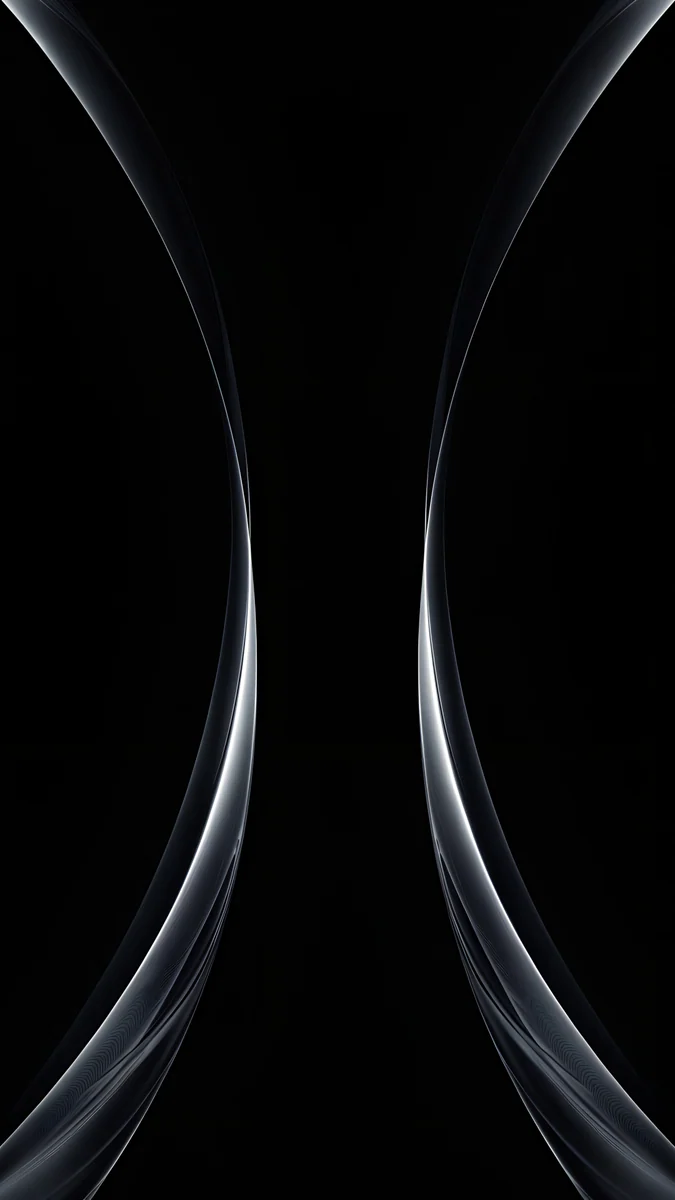 Silver Light Arcs
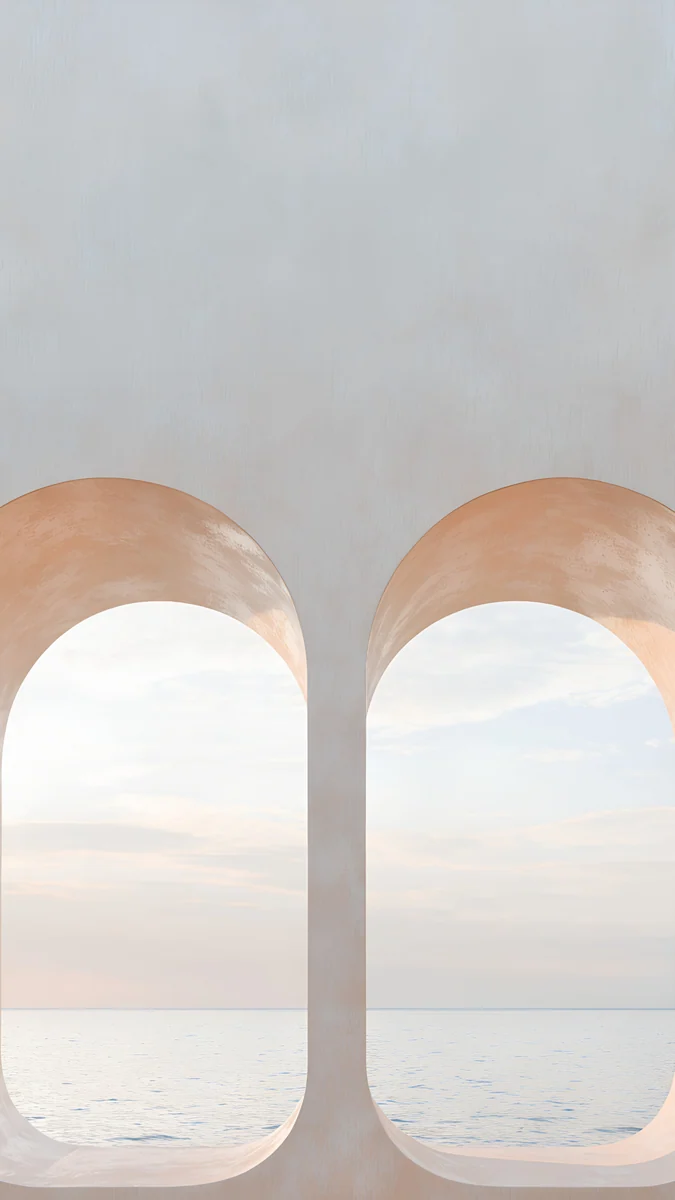 Twin Arches Sea
 Mirror Gold Glass
 White Spiral Stairs
 Turquoise Sandbar
 Pastel Cloud Moon
 Galaxy Ocean Arc
 Misty Mountains Torii
 Misty Bamboo Light
 Neon Canyon Street
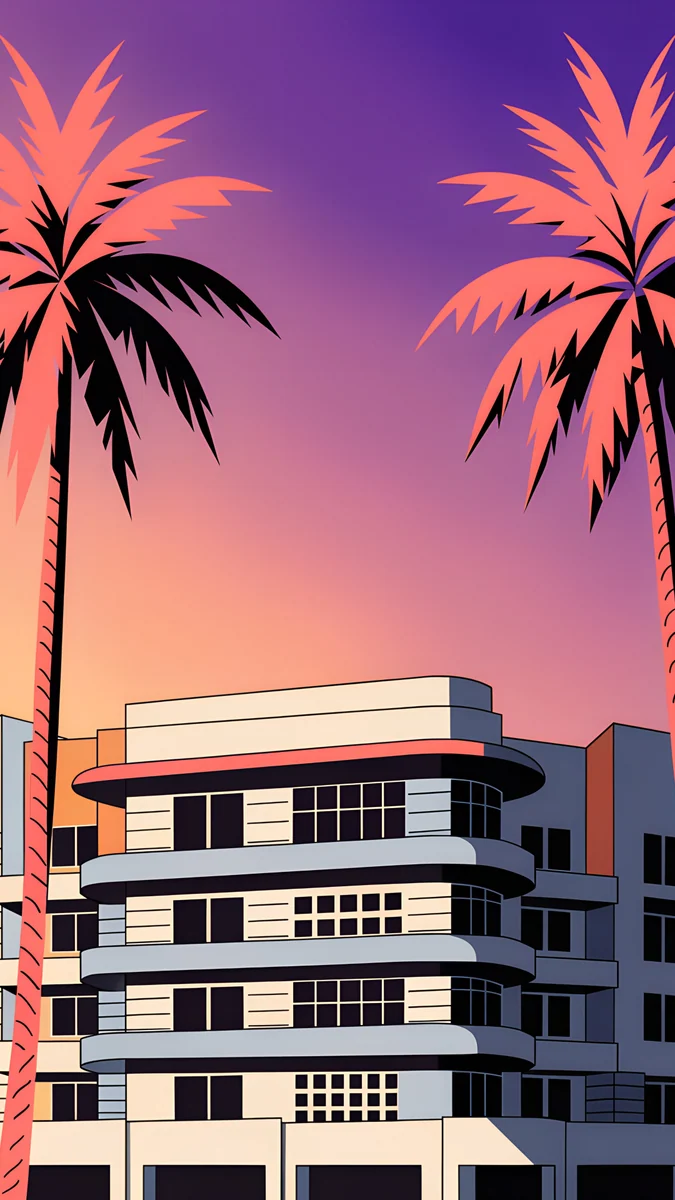 Miami Deco Palms
Free 4K originals for iPhone and Android, no watermark
On this page
iPhone Duo needs two wallpaper shapes: a tall one of at least 1398 × 2034 pixels for the cover screen, and a wide one of at least 2670 × 1878 for the inner screen, which opens like a book with the crease running down the middle. The cover screen is about 1.45:1 and the inner screen about 1.42:1, so a normal 9:16 phone wallpaper is cropped on the cover screen and loses more than half its height on the unfolded screen. Pick symmetric or balanced compositions and keep the main subject off the centre line.
The screen numbers in this guide come from Apple's iPhone Duo tech specs as of October 2026. Apple lists the phone at 164.6 mm wide and 117.8 mm tall when open, and 84.1 mm wide when closed.
How to choose a wallpaper for iPhone Duo
Two screens, two shapes
Whether you search for an iPhone Duo wallpaper or an iPhone fold wallpaper, shape is the first filter. Closed, the Duo is a tall phone with a portrait cover screen. Open, it becomes wider than it is tall, and the inner screen is a landscape panel. Almost every phone wallpaper online is made for a tall 9:16 screen, which suits neither shape exactly.
| Screen | Apple spec | Shape | What a normal 9:16 wallpaper loses |
|---|---|---|---|
| Cover display, closed | 5.4 inch, 1398 × 2034, 460 ppi | tall, about 1.45:1 | about 9% at the top and 9% at the bottom |
| Inner folding display, open | 7.6 inch, 2670 × 1878 held wide, 430 ppi | wide, about 1.42:1 | about 60% of its height if iOS fills the width |
Apple writes the inner resolution as 1878 × 2670; held open the long side runs left to right. The percentages are calculated from Apple's resolutions. In practice, a tall wallpaper on the open screen shows only a band across its middle, so the moon at the top or the reflection at the bottom simply disappears.
The right size for each screen
For the cover screen, use a tall image of at least 1398 × 2034. The tall Velpaper Duo wallpapers are 4K originals at 2160 × 3840, composed with the subject in the middle, so the cover screen only trims roughly 9% at the top and bottom and you can still pinch and reposition. For the inner screen, use a wide image of at least 2670 × 1878. Velpaper is adding wide versions of the Duo set at 4096 × 2880, the inner screen's own 1.42:1 shape.
The crease down the middle
The inner display folds through its vertical centre line. The crease is subtle, but your eye finds it as soon as a face, a tower or a single bright object lands right on it. Choose compositions where the crease falls between two halves: two shapes meeting in the centre, a mirrored pattern, a wide landscape, two arches side by side. Otherwise keep the main subject clearly to the left or right of the middle. The cover screen has no crease, so a centred subject is fine there.
Cover screen vs inner screen
Closed, you see the cover screen many times a day for the time and notifications, so it deserves your favourite picture. Open, the inner screen shows a much larger, wider image behind your apps. A good wallpaper for the cover screen reads well small: clear shapes, not tiny detail. A good wallpaper for the inner screen is calm across its width so app icons stay easy to find.
OLED blacks
Both screens are OLED according to Apple's specs, with Always-On support. On OLED, true black pixels are switched off, so dark wallpapers look deep and the edges of the screen blend into the frame. A pure black background with a few bright lines is the most striking choice for Always-On on the cover screen.
Room for the clock and widgets
Apple lists the Dynamic Island on the Duo, and the clock sits near the top as on any iPhone. Choose an image with a calm area in the upper part, open sky, water, a soft gradient, so the time and Lock Screen widgets stay readable. Busy detail behind the clock is the most common reason a wallpaper feels wrong.
iPhone Duo wallpaper ideas: the Velpaper Duo set
Every tall wallpaper in this set is a 4K original at 2160 × 3840 with the subject kept in the middle, so the cover screen trims only roughly 9% at the top and bottom and nothing important is lost. If you were looking for a Duo wallpaper for iPhone that survives that crop, start here. They are grouped by mood, with the wide versions for the inner screen at the end.
Liquid and glass
Violet Liquid Fold sends two violet waves toward each other so they meet in the middle. Mirror Gold Glass is a mirrored set of champagne gold glass shapes, symmetric by nature and light enough for a dark clock. Silver Light Arcs draws two silver arcs on pure black, the best pick for OLED and Always-On.
Calm architecture and sea
Twin Arches Sea puts two pastel arches side by side over a calm sea. White Spiral Stairs looks straight down a white spiral staircase, a clean centred shape with soft shadows that reads well at cover screen size. Turquoise Sandbar is an aerial view of turquoise water and a pale sandbar, open and bright with plenty of quiet space for widgets.
Sky and night
Pastel Cloud Moon sets a thin crescent moon in pink and lilac clouds, the softest wallpaper here. Galaxy Ocean Arc bends a galaxy band over a dark ocean; the dark water keeps the lower half calm behind notifications.
Japan in mist
Misty Mountains Torii is drawn in an ukiyo-e style: layered blue mountains in mist and a small red torii. Misty Bamboo Light fills the frame with tall bamboo and rays of light through fog, a pattern with no single focal point to lose.
City lights
Neon Canyon Street is a rainy cyberpunk street in magenta and violet neon with no people, tall buildings on both sides like a canyon. Miami Deco Palms frames a pastel art deco hotel with palms at sunset, warm and symmetric.
Wide versions for the inner screen
 Twin Arches Sea Wide4K · Desktop
 Violet Liquid Fold Wide4K · Desktop
 Mirror Gold Glass Wide4K · Desktop
 Turquoise Sandbar Wide4K · Desktop
 Misty Mountains Torii Wide4K · Desktop
 White Spiral Stairs Wide4K · Desktop
These are wide versions of the same designs at 4096 × 2880, about 1.42:1, the shape of the unfolded screen. On Twin Arches Sea each arch gets its own half, so the crease runs through the gap between them, and the two waves of Violet Liquid Fold meet right on the fold line.
How to set a wallpaper on both iPhone Duo screens
Apple lists iOS 27 on the iPhone Duo spec page. The steps below are the standard iOS wallpaper flow as it works in iOS 26. Apple has not published wallpaper steps specific to the Duo, so whether the cover and inner screens get separate wallpapers, and how a tall image is shown on the wide screen, can differ in iOS 27 and later updates.
- Save the original files from the Velpaper app or the wallpaper page on velpaper.com: the tall version for the cover screen and, if you want it, the wide version for the inner screen. A screenshot or a preview is smaller and looks soft.
- With the phone closed, open Settings, tap Wallpaper, then Add New Wallpaper, then Photos, and choose the tall image.
- Pinch and drag to position it, and check that the clock has a calm area behind it.
- Tap Add, then Set as Wallpaper Pair, or Customize Home Screen if you want a quieter Home Screen.
- The other route: touch and hold the Lock Screen, tap Customize to edit the current wallpaper, or tap the add button to create a new one.
- Open the phone and look at the inner screen. If your iOS version lets the inner screen have its own wallpaper, repeat the steps while open and choose the wide image. If both screens share one wallpaper, pick a symmetric design whose middle band works on the wide screen.
Apple's general guide is Change your iPhone wallpaper. For a different picture on the Lock Screen and the Home Screen, see how to use a different lock and home screen wallpaper.
Foldable wallpaper for Z Fold 7, Z Flip 7, Razr and Pixel Fold
The rule works for every foldable wallpaper: choose by the shape of each screen, not by the phone's name, and look up the exact resolution on the maker's spec page. Foldables come in two designs.
- Book style: Galaxy Z Fold and Pixel Fold. They open like the Duo. The cover screen is tall and the inner screen is much wider than a normal phone, close to square, with the crease running down the middle. Use a tall wallpaper outside, and inside a symmetric or wide image with nothing important on the centre line.
- Clamshell: Galaxy Z Flip and Motorola Razr. They fold top to bottom. Open, the main screen is tall and narrow, so a normal 9:16 wallpaper fits well, but the crease runs across the middle: keep faces and horizons above or below it. The cover screen is smaller and closer to square, so pick a simple image with one clear, centred shape.
- Separate cover screen wallpaper. Samsung, Google and Motorola let you style the cover screen apart from the main screen; on Samsung look in Wallpaper and style, or Cover screen on a Flip. The menu names differ by One UI and Android version.
For Android menus and sizes, see our Android wallpaper size guide.
iPhone Duo wallpaper problems and fixes
- The open screen shows only a strip of my wallpaper. A tall image is being fitted to a wide screen. Use a wide version for the inner screen, or a design whose middle band carries the picture.
- The top and bottom are cut off on the cover screen. The wallpaper is 9:16. Pick a wallpaper with the subject in the middle, or pinch and drag to reposition it so nothing important sits near the top or bottom edge.
- It looks blurry. The file is smaller than the screen, often a screenshot or a saved preview. Download the original instead. Our guide to blurry wallpapers covers the other causes.
- The crease runs through the subject. Pinch to shift the image sideways, or switch to a symmetric wallpaper where the crease falls between two halves.
- The clock is hard to read. Move the image so a calm area sits behind the time, or touch and hold the Lock Screen, tap Customize, tap the time and pick a darker or lighter colour.
- The wallpaper zooms in after setting. iOS can enlarge the picture for its depth and motion effects. When editing, pinch out to the full image before you tap Add.
Get the iPhone Duo wallpapers in Velpaper
Velpaper has apps for iPhone, iPad, Mac and Android, plus the website velpaper.com. Every wallpaper is a 4K original designed by Carlos Vivero, and the iPhone Duo set is composed for the Duo screens: tall 2160 × 3840 files for the cover screen and wide 4096 × 2880 versions for the inner screen.
- Open Violet Liquid Fold or any wallpaper from the set above in the app or on velpaper.com.
- Tap Download. In the iPhone and Android apps the Duo wallpapers unlock after a short optional ad; on the website, if no ad is available, the original downloads for free.
- Set it with the steps above and check both screens, closed and open.
There is no account and no subscription, and every file is the full original without a watermark. If you prefer a dark look, our dark OLED wallpapers suit the Duo's screens too.
Original wallpapers in 4K and 5K for iPhone, Android and desktop.
Questions
What size is an iPhone Duo wallpaper?
It depends on the screen. The cover screen is tall, 1398 × 2034 pixels according to Apple, so use a portrait image at least that large. The inner screen opens wide, 2670 × 1878 pixels, so it needs a landscape image of at least that size. The cover screen is about 1.45:1 and the inner screen about 1.42:1, both much squarer than the 9:16 shape of most phone wallpapers. The tall Velpaper iPhone Duo wallpapers are 4K originals at 2160 × 3840 with the subject in the middle, so the cover screen trims only roughly 9% at the top and bottom. Wide 4096 × 2880 versions are made for the inner screen.
Do normal iPhone wallpapers work on iPhone Duo?
They work, but they are cropped. A normal wallpaper is a tall 9:16 image. On the cover screen iOS trims about a tenth from the top and the bottom. On the open inner screen, which is wide, a tall image filled to the full width shows only around 40 percent of its height, calculated from Apple's resolutions. Wallpapers with the subject in the middle band still look fine closed. For a full picture on both screens, use a tall image with the subject in the middle outside and a wide one inside.
Can I set different wallpapers on the iPhone Duo cover and inner screen?
Apple has not published wallpaper steps specific to the iPhone Duo, and the behaviour can depend on the iOS version. The safe approach is to set the tall wallpaper with the phone closed, using Settings, Wallpaper, Add New Wallpaper, then open the phone and check the inner screen. If it keeps its own wallpaper, repeat the steps while open and choose a wide image. If both screens share one wallpaper, choose a symmetric design whose middle band still works on the wide screen.
How do I stop the fold crease from ruining my wallpaper?
On iPhone Duo the crease runs down the vertical middle of the inner screen. Choose a composition where it falls between two halves: two arches side by side, two shapes meeting in the centre, a mirrored pattern or a wide landscape. Avoid wallpapers where a face, a tower or a single object sits exactly on the centre line. If a picture you love has its subject there, pinch and drag in the editor to move it to one side before you tap Add. The cover screen has no crease.
Do iPhone Duo wallpapers work on Galaxy Z Fold 7 or Z Flip 7?
Partly. A Z Fold opens like a book, as the Duo does: a tall Duo wallpaper suits its cover screen, and a symmetric or wide image suits the near square inner screen with its vertical crease. A Z Flip is a clamshell: open, the main screen is tall and narrow, so a tall 9:16 wallpaper fits well, including the tall Duo files, while the wide versions do not, and the crease runs across the middle. In both cases check your model's resolution on Samsung's spec page and pick a file at least that large. Every Velpaper wallpaper is a 4K original.
Carlos Vivero
Designer of Velpaper wallpapers
Carlos Vivero designs the wallpapers in Velpaper: quiet architecture, liquid glass, Japanese ink and calm landscapes. Every piece is made as a 4K original for iPhone, Android and desktop.
Recent work








